
Master Data and Set-up
Master data set up on your plant's production model, with every change leaving a trace.
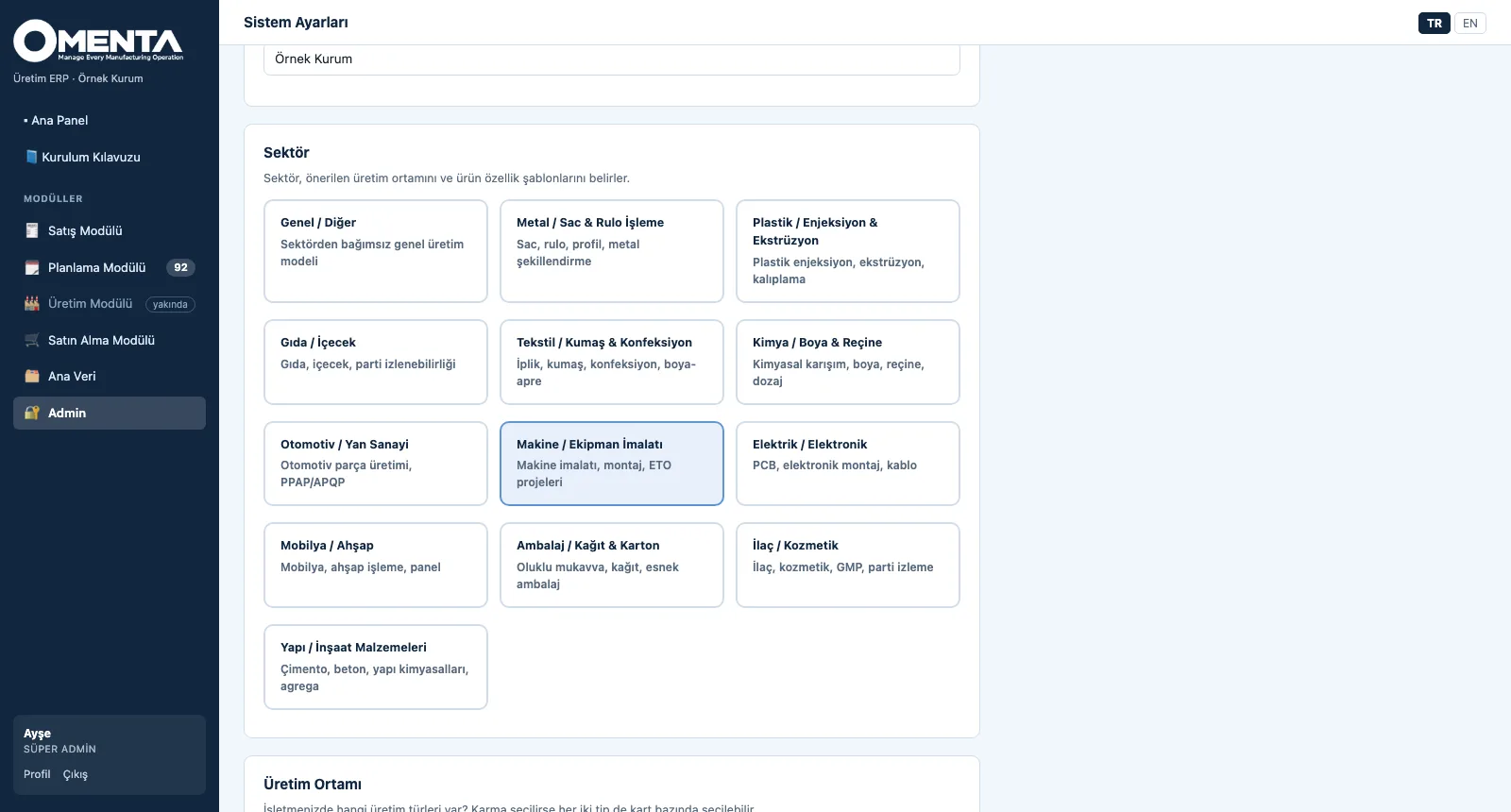
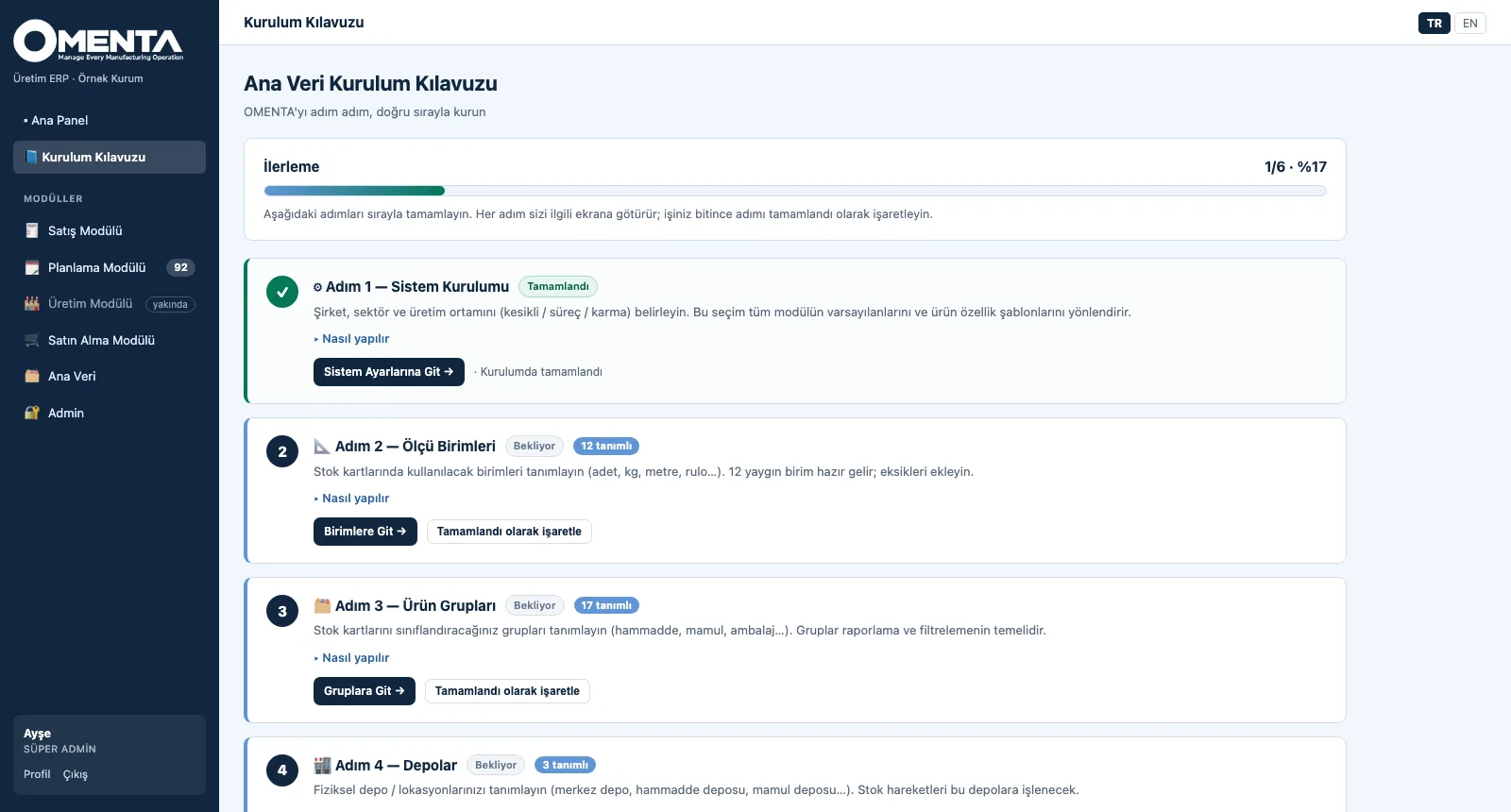
At set-up you choose the company, one of 13 sector profiles and the production environment (discrete, process or mixed); the sector suggests product attribute templates and defaults. The Master Data Set-up Guide walks you step by step, in the right order and with live status, from units of measure to item cards. Each item card carries its type, procurement and production strategy (MTS / MTO / ETO); every record is versioned and its change history kept.
What you gain with OMENTA
- Discrete, process and mixed production in one system: the environment is set system-wide, type and strategy per card.
- Codes carry no meaning; when a product changes its code stays, so documents never point to a wrong code.
How it works
From set-up to a traceable item card in four steps.
-
1
Set up the system
Enter the company name, choose your sector and set the production environment; the sector brings product attribute templates and a suggested environment.
-
2
Follow the guide
Each of the six steps comes with its reason, how-to and a button to the right screen; completed steps are checked off and progress shows on the dashboard.
-
3
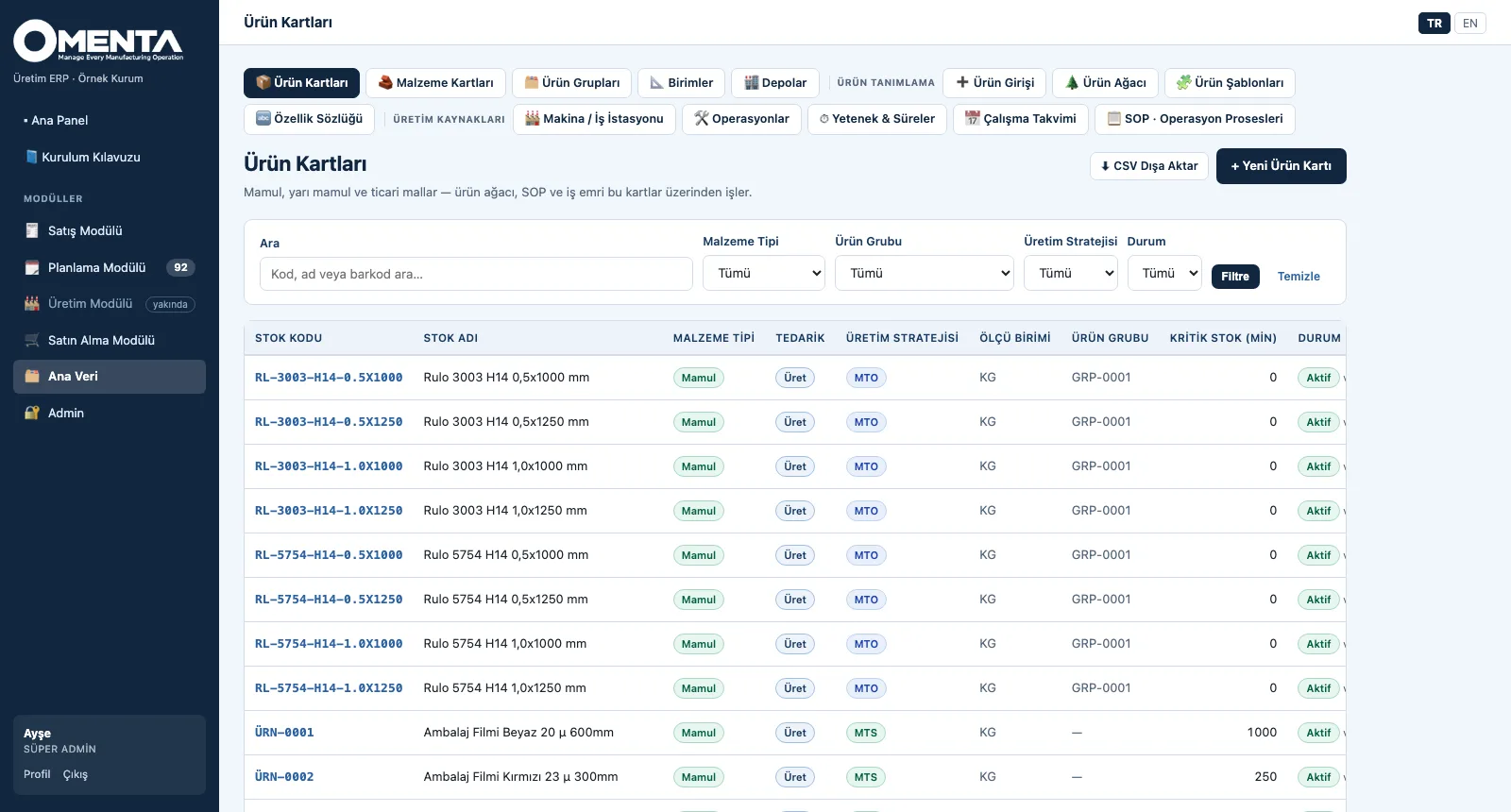
Create the item cards
Product and material cards in separate lists, filtered by type, group, strategy and status, exported as CSV.
-
4
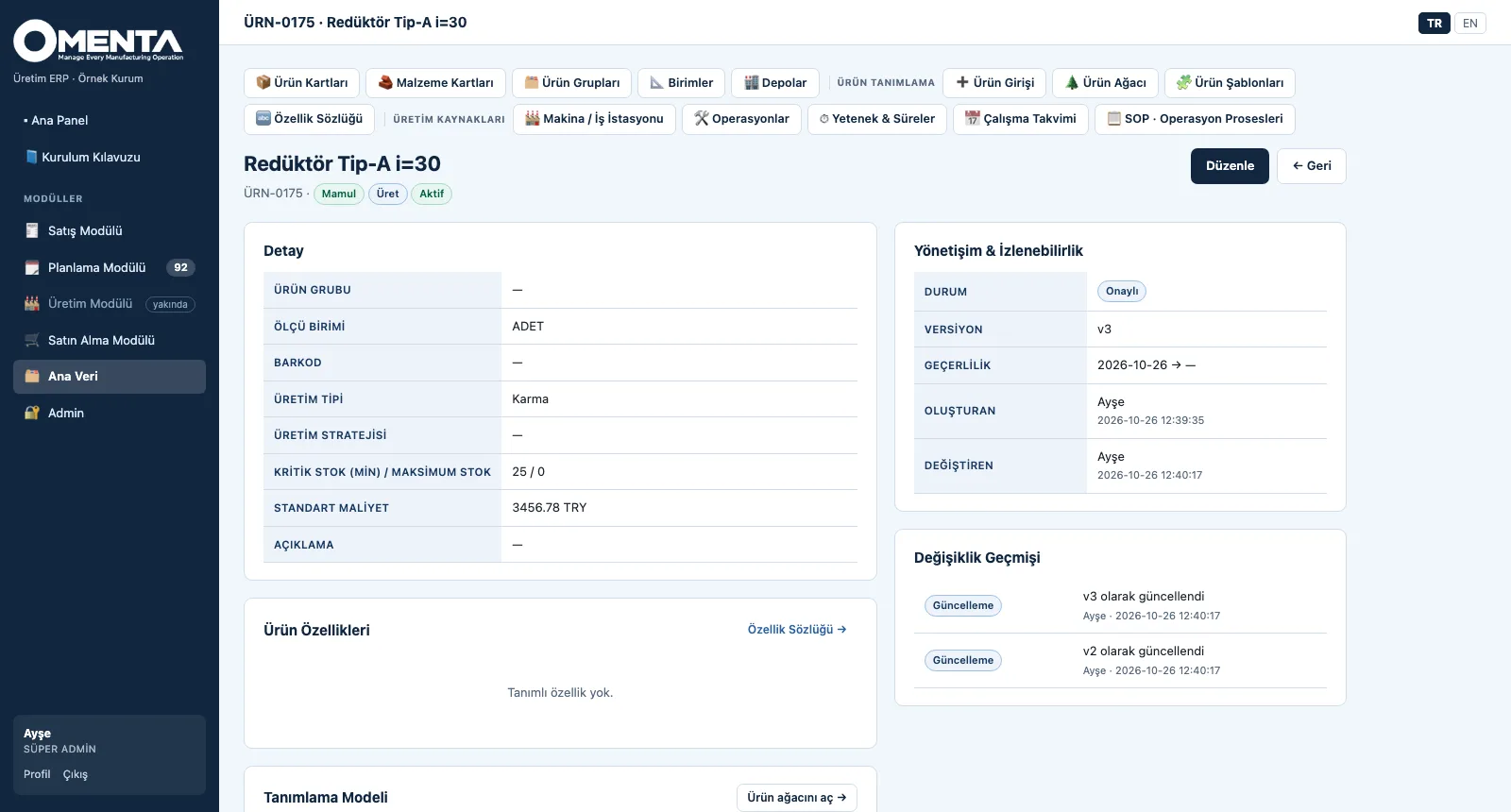
Trace every change
The card detail shows status, version, validity, created and changed by; the change history lists every update with person and time.
Screens are shown with sample company data; the application interface is in Turkish and English.
Purpose
To set up the master data every production step relies on — once, correctly, on the plant's real production model — and to keep who changed what, and when, visible at all times.
Features
- System set-up: company, 13 sector profiles (metal, plastics, food, textiles, chemicals, automotive, machinery, electronics, furniture, packaging, pharma, building materials, general), production environment and product definition model
- Master Data Set-up Guide: system, units, item groups, warehouses, users and item cards — six steps, each with its reason, how-to, tip and a progress percentage
- Item cards: raw material, semi-finished, finished, trade goods and consumables; procurement (buy / make / both), MTS / MTO / ETO strategy, unit, group, barcode, minimum and maximum stock, standard cost
- Governance: version, validity dates, card status, created / changed by, change history and duplicate-code check on every record; codes are non-speaking and sequential (ÜRN-0001, MLZ-0001)
- Units of measure (12 preloaded), item groups and warehouses (general, raw material, WIP, finished, quarantine, scrap); CSV export of item cards
- Roles and permissions: super admin, admin and user; master data edit permission per user; Turkish and English interface
Benefits
- Master data follows the plant's real production model
- The guide gets the set-up done in the right order
- Every change is traced with its version and history
Who uses it
Master data owners, production and process engineers, IT / ERP teams and system administrators.