
Sales Orders and Order Status
Two dates and one approval: sales says what it wants, planning what it can give, and approval makes the order firm.
Every sales order line carries two dates: the wish date that sales received from the customer and the confirm date that planning (OPLAN) can give based on capacity. When sales approves the confirm date, the order becomes firm. A line's stage is derived from these fields — no separate status column is kept — and the Order Status screens show every line in the right list, from request to work order.
What you gain with OMENTA
- OPLAN proposes a date, OMENTA gives it: the proposal moves the line to awaiting approval, the decision stays with sales.
- Only fully defined products enter an order; a missing definition is not postponed to work-order time.
How it works
From request to firm order in four steps.
-
1
Enter the order
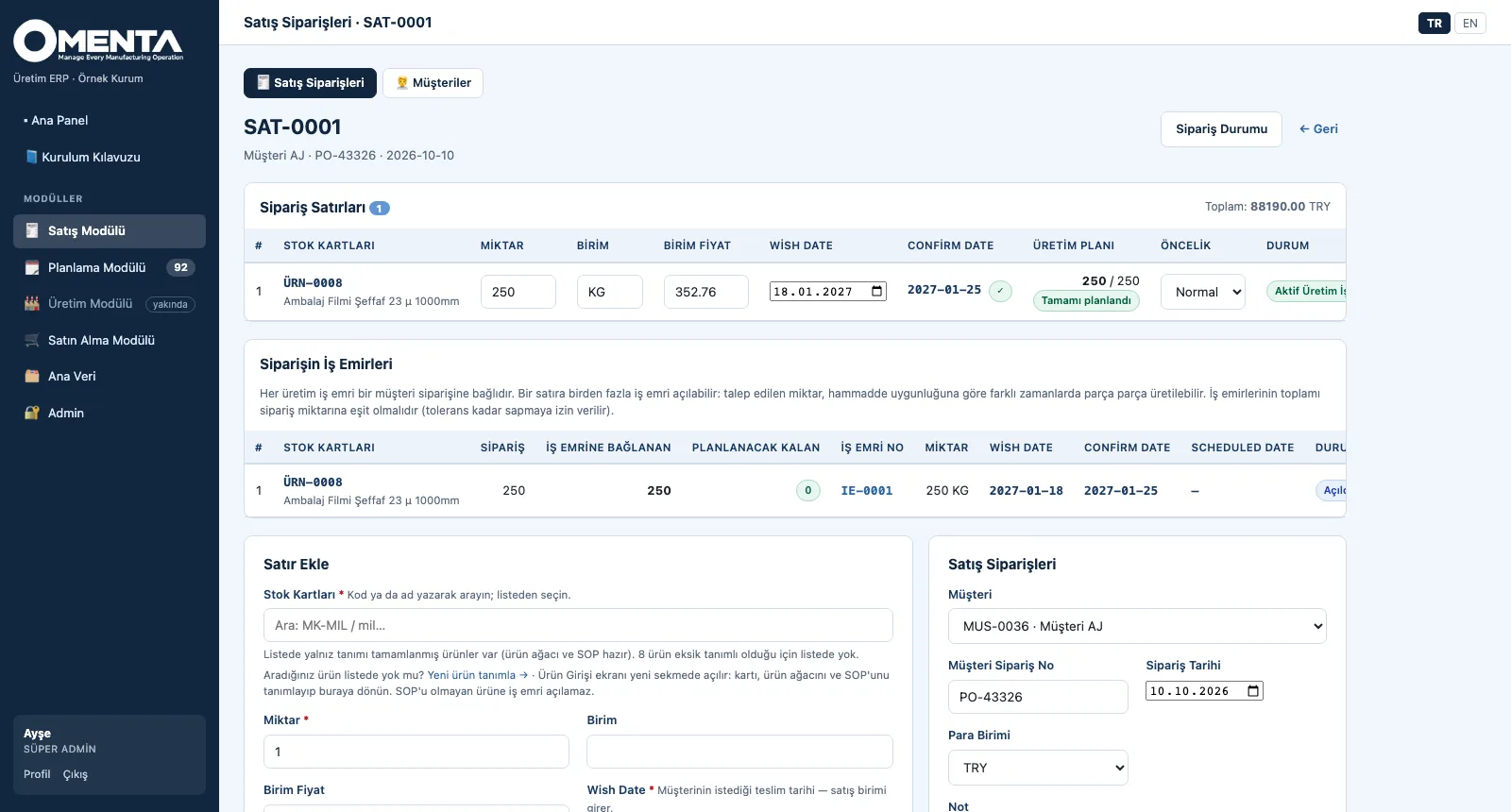
Each line shows wish and confirm date, production plan (planned / ordered) and status; the work orders tied to the order are listed on the same page.
-
2
Collect the requests
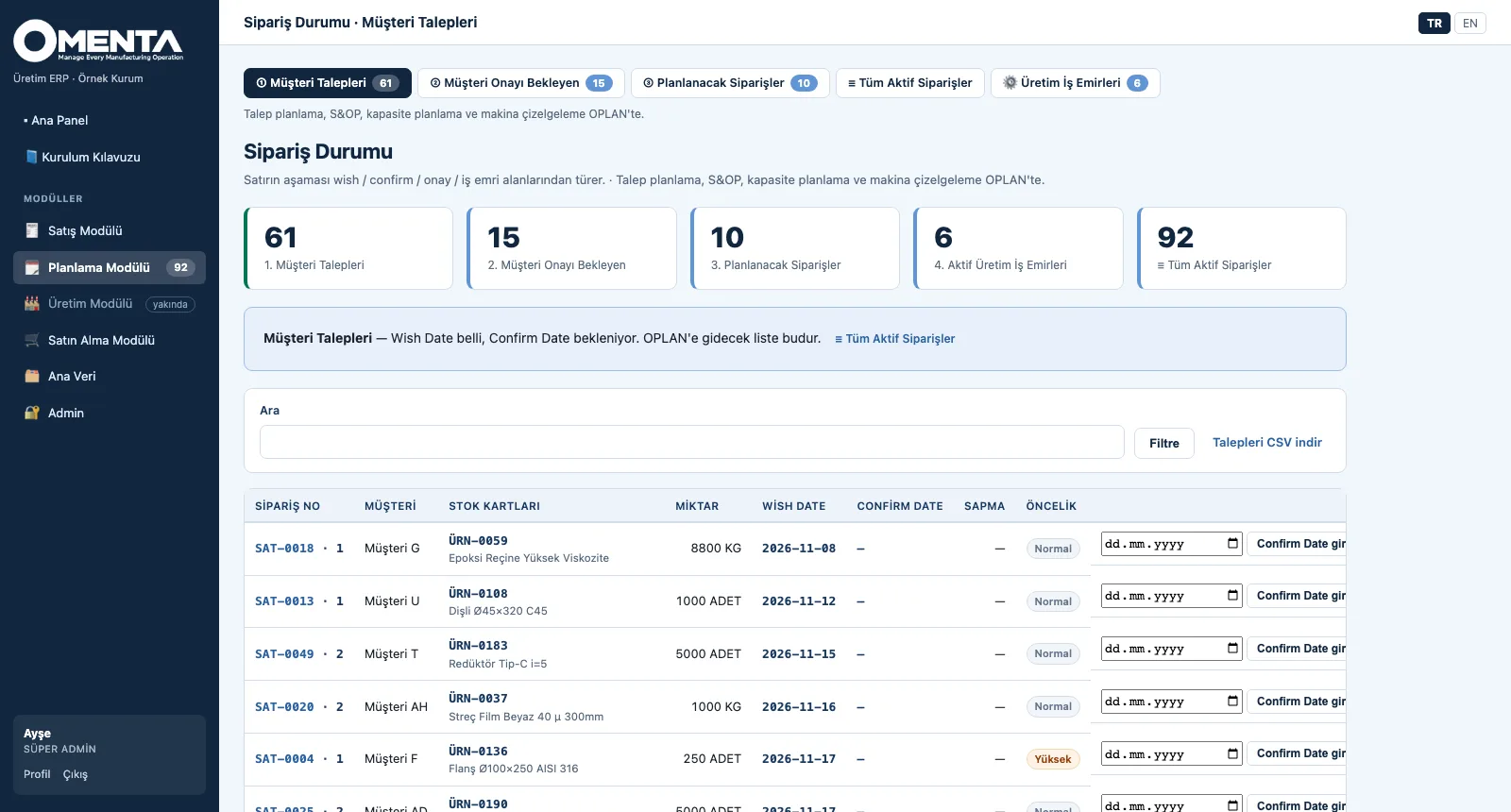
Lines with a wish date that are waiting for a confirm date; this is the list that goes to OPLAN, also downloadable as CSV.
-
3
Approve
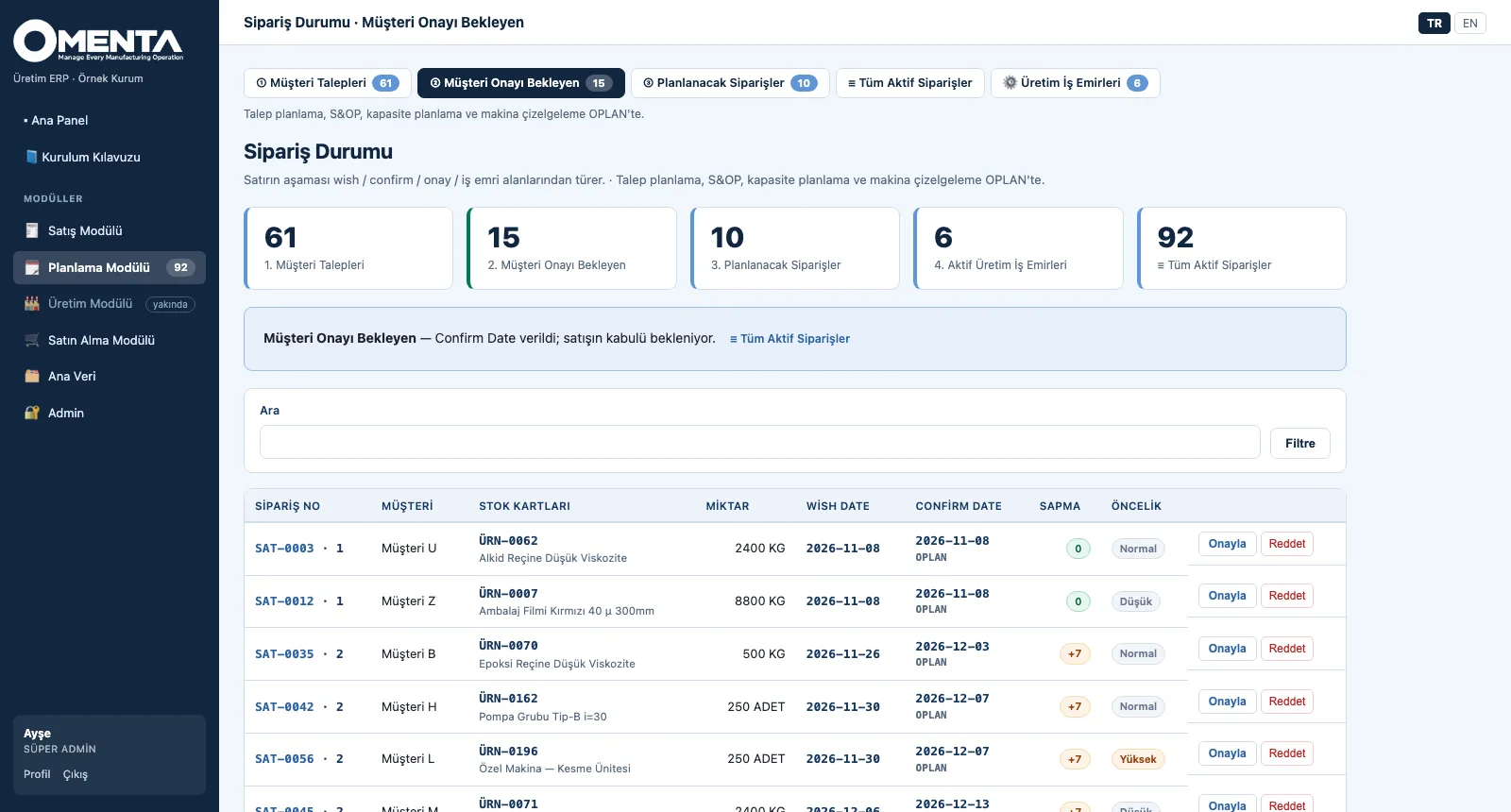
For lines that received a confirm date, the gap shows in days; sales approves or rejects each line.
-
4
Release to planning
Approved lines without a work order; the quantity to open and the product tree status are shown, and work orders are opened from the selected lines.
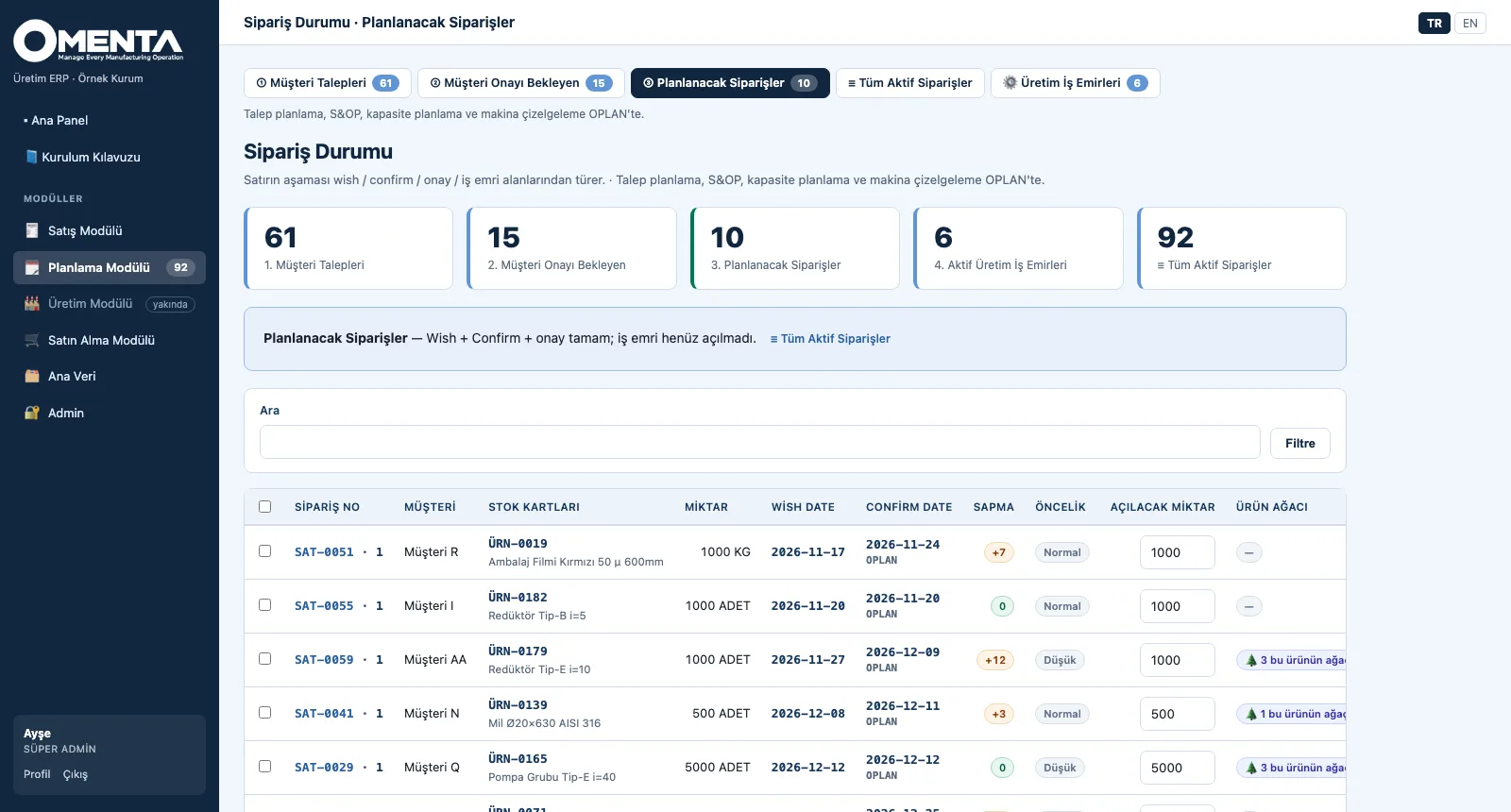
Screens are shown with sample company data; the application interface is in Turkish and English.
Purpose
To base the promise made to the customer on capacity, and to make sure no order line gets lost between stages.
Features
- Customers and sales orders: customer order no, order date, currency; per line product, quantity, unit price, wish date and priority
- Stock order (no customer, MTS): make-to-stock is also tied to an order; the confirm date starts from the wish date
- Order Status: Customer Requests → Awaiting Approval → Orders To Plan → Active Work Orders, with counters and an all-active-orders view
- Confirm date: comes from OPLAN or is entered manually / by CSV; if the date changes, the sales approval drops and is requested again; the gap between wish and confirm shows in days
- Approve / reject, CSV download of the request list and bulk work-order creation from selected lines to plan
- Line planning summary: ordered, linked-to-work-order and remaining quantity; work orders cannot exceed the ordered quantity beyond its tolerance
Benefits
- The date promised to the customer is based on capacity
- A line's stage is derived from its fields, so it never drifts from reality
- An unapproved date is never treated as firm
Who uses it
Sales and customer service teams, order management, production planning, sales and plant managers.