
Product Definition
A product's identity comes either from its component list or from its own specification — both on one core.
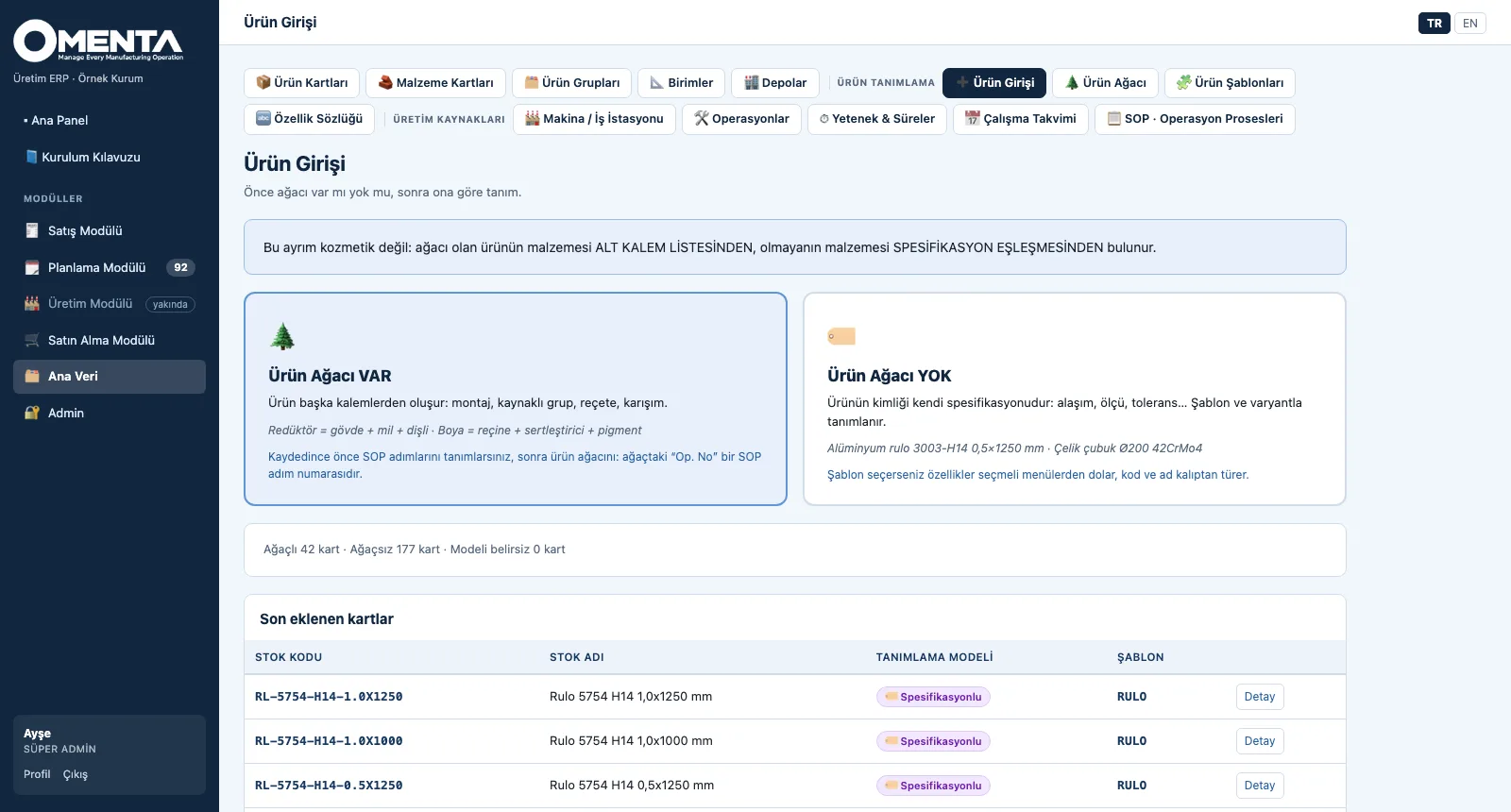
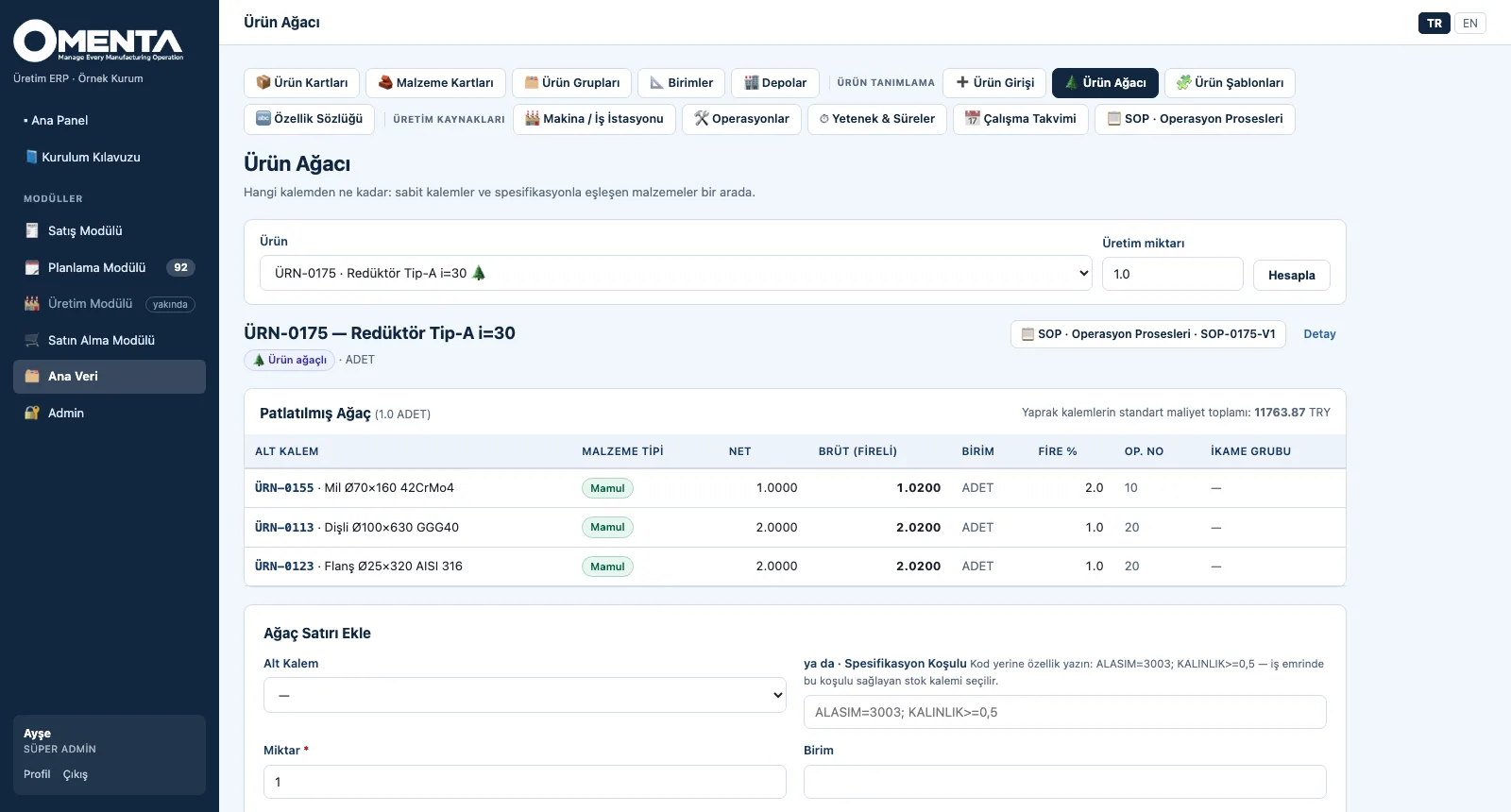
Product entry first asks one question: does the product have a tree? For products with a tree — assemblies, recipes or blends — the components go into the bill of materials; for products without one — coils, profiles or bars — identity is built from attributes: an attribute dictionary, templates, code and name patterns, bulk variant generation. A tree line can link an item by its code or by a specification condition (ALASIM=3003; KALINLIK>=0,5).
What you gain with OMENTA
- Specification matching is strict by design: if the attribute is not defined on the card there is no match — no wrong material is linked.
- Attribute codes are ASCII (ALASIM, KALINLIK), so specification strings, CSV files and ERP mappings have no character issues.
How it works
From the entry gate to variants in four steps.
-
1
Choose the structure
Does it have a tree or not? A product with a tree is defined by its components, one without by its specification; recent cards are listed with their definition model.
-
2
Build the tree
The exploded tree shows net and gross (with scrap) quantity, unit, operation no and substitute group; the standard cost is rolled up from the leaf items.
-
3
Build the template
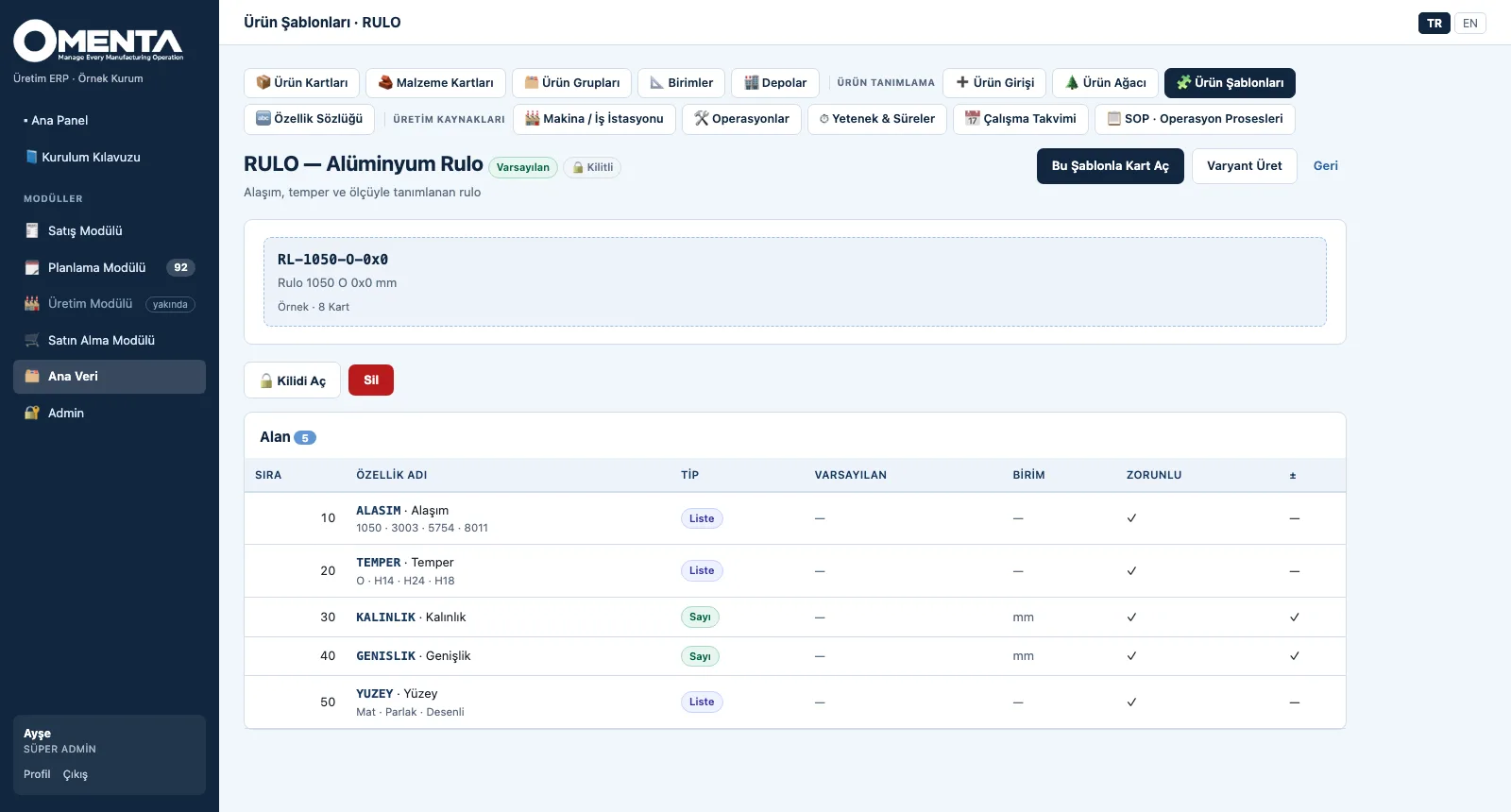
Attributes are defined once in the dictionary; the template sets which attribute is asked in which order and how code and name are derived; fields cannot be added to or removed from a locked template.
-
4
Generate the variants
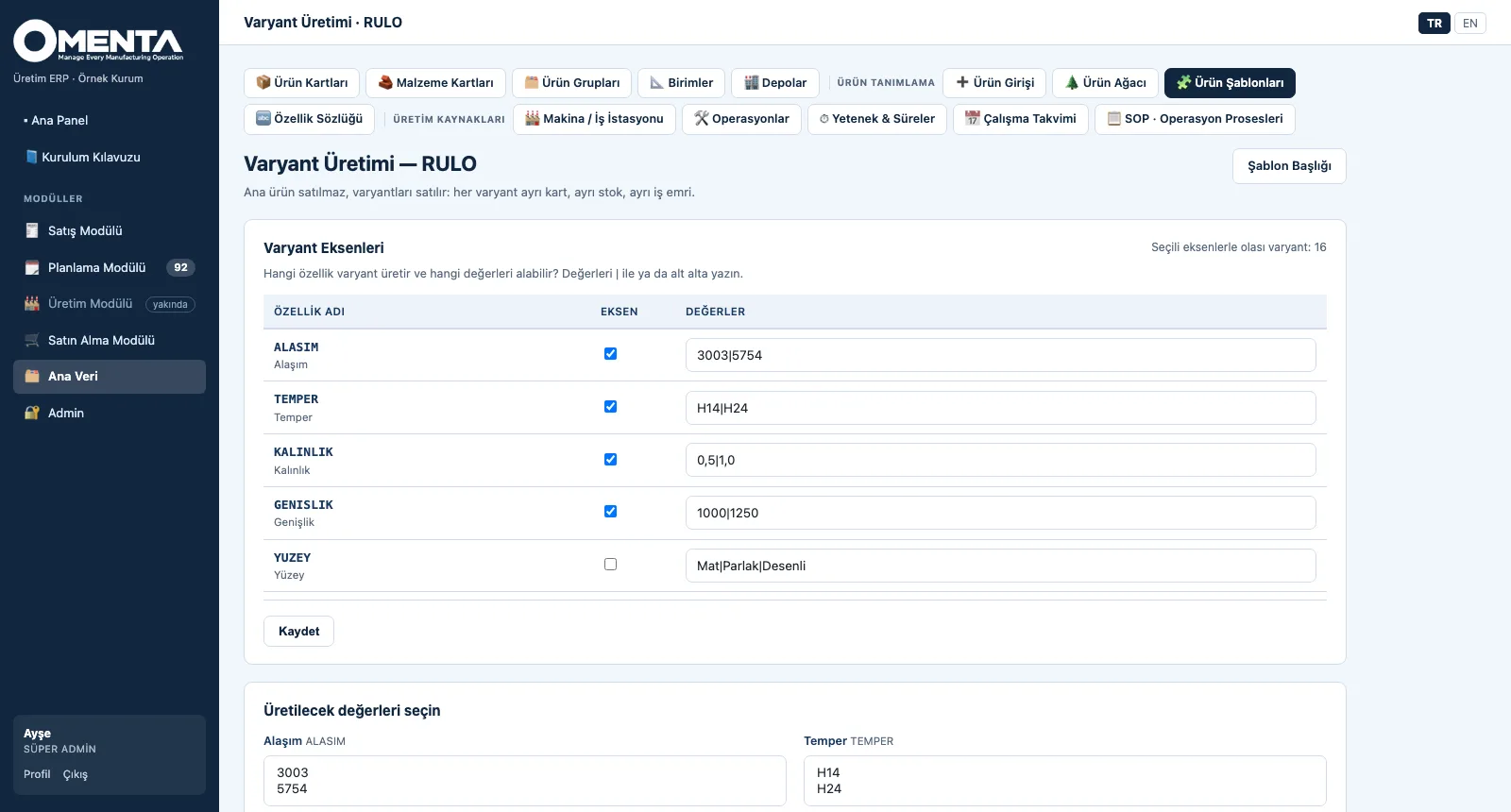
Choose the axis attributes and their values; the number of possible variants is shown, the chosen combinations are previewed and created as cards.
Screens are shown with sample company data; the application interface is in Turkish and English.
Purpose
To define each product with the structure that suits its nature, so that the material is found beyond doubt when a work order is opened.
Features
- Product entry gate: with a tree / without a tree; the model chosen at set-up leads in the menu, and both paths can be used together in the same plant
- Bill of materials: component or specification condition, quantity, scrap percentage, substitute group, operation no linked to the SOP step; multi-level explosion, gross requirement, standard cost from leaf items, where-used
- Attribute dictionary: text, number and list types; unit and tolerance; one-click sector set and a specification test (the cards that meet a condition)
- Product template: field order, mandatory flags, default values, code and name patterns (RL-{ALASIM}-{TEMPER}…), locking and a default template; defining a card from a template fills values from drop-down menus
- Variant generation: preview of axis value combinations and up to 500 cards in one run; existing cards are skipped, never overwritten
- Definition wizard: only fully defined products (tree and active SOP) can be ordered; if something is missing, the wizard takes you to the next step
Benefits
- Products with and without a tree in one system, each with its own structure
- Hundreds of variant codes and names from a pattern, without typing them
- Incompletely defined products are caught before they reach an order
Who uses it
Product and process engineers, R&D and technical office, master data owners, costing teams.