
Work Orders and the OPLAN Link
The job on the shop floor is the job as stated on the day it was opened: a work-order tree built from the SOP and the BOM.
Every production work order is tied to an order line. When it is opened, the SOP and the bill of materials are copied; even if master data changes later, an opened work order does not. Made sub-parts spawn their own child work orders; operations are split into serial and parallel levels. OMENTA is the system of record, OPLAN the planning system: the data service publishes master data, the order book and work orders to OPLAN in one direction.
What you gain with OMENTA
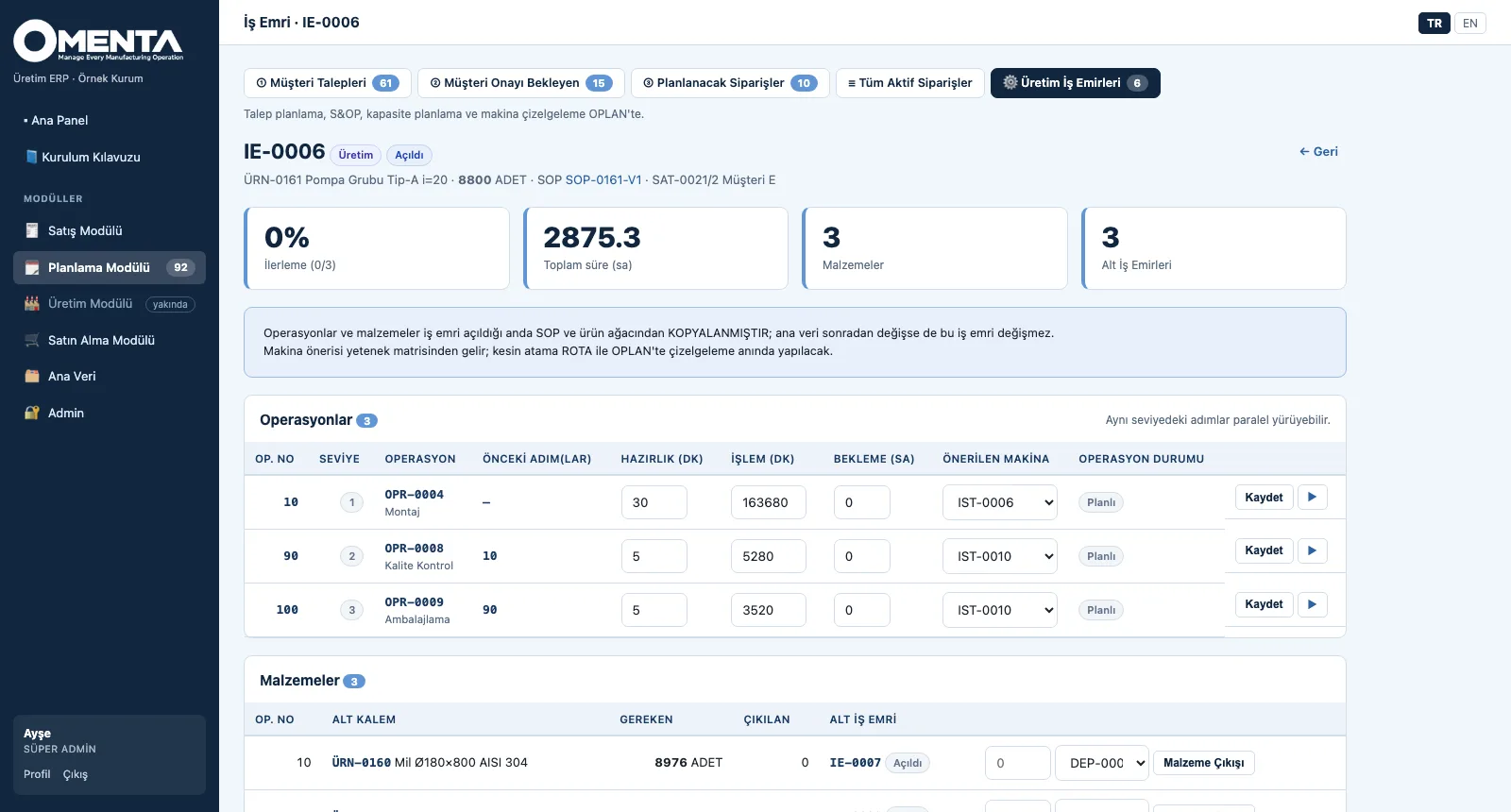
- The suggested machine comes from the capability matrix; the final assignment is made in OPLAN at scheduling time.
- Data flows one way: OMENTA does not know OPLAN, it only publishes its own data; the two applications do not depend on each other.
How it works
From the order to the work-order tree and to planning in three steps.
-
1
Follow the work orders
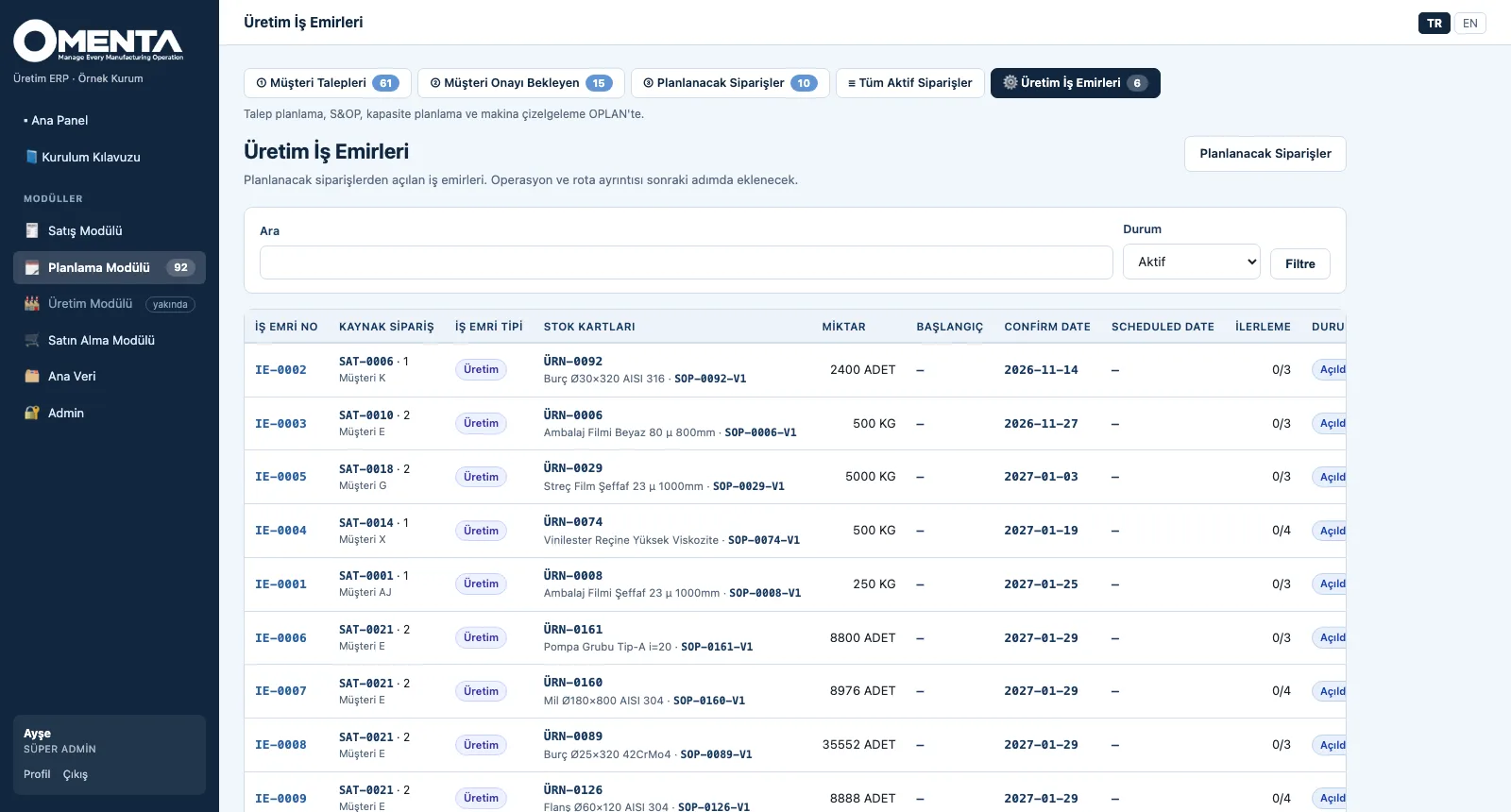
Each work order is listed with its source order, type, product, SOP, quantity, confirm and scheduled dates and progress.
-
2
Open the tree
Progress, total time, materials and number of child work orders at the top; below, levelled operations, suggested machines and materials made by child work orders.
-
3
Publish to OPLAN
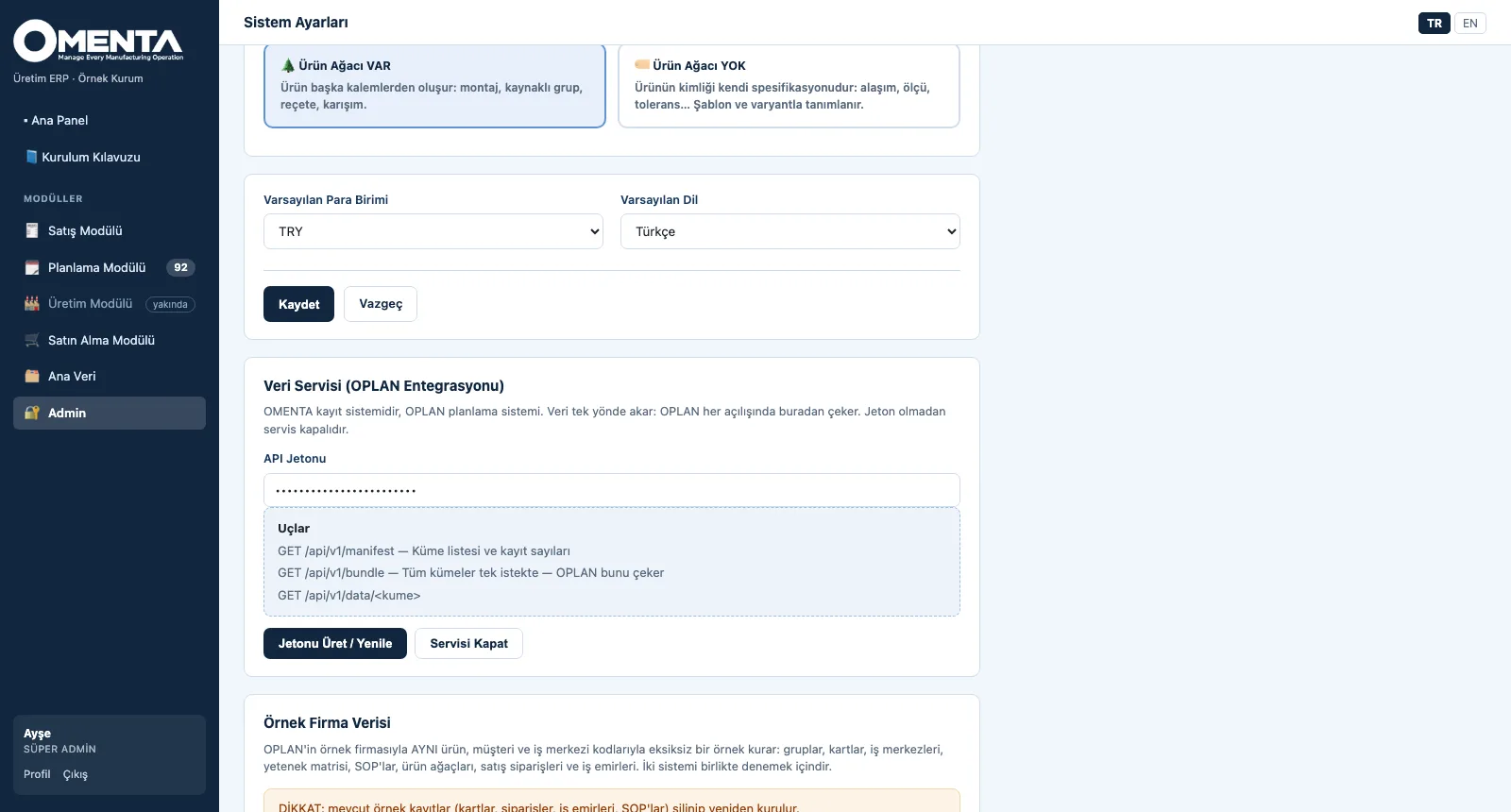
In System Settings a token is generated or the service is switched off; the endpoints are listed on screen, and OPLAN pulls all data in one request each time it starts.
Screens are shown with sample company data; the application interface is in Turkish and English.
Purpose
To turn an order completely into the work to be done on the shop floor, and to give planning current, single-source data.
Features
- Work-order tree from the order: the SOP and BOM are copied as a snapshot, made sub-parts open as multi-level child work orders
- Operations: serial / parallel level, setup, processing and waiting time, machine suggested from the capability matrix, status (planned, in progress, done, skipped)
- Materials: the operation where each is consumed, required and issued quantity, items made by a child work order; material issue
- Linked work orders: assembly, material preparation, tooling, transport, subcontracting and purchasing — tied to a specific operation of the production work order
- Partial production: several work orders can be opened for one line; the total cannot exceed the ordered quantity beyond its tolerance; a tree is cancelled as a whole
- OPLAN data service: 23 token-protected data sets (manifest, single set, all sets in one request); OPLAN writes back confirm-date proposals and scheduled finish dates
Benefits
- An opened work order is not affected by later master data changes
- Sub-parts and supporting jobs appear in the same tree
- OMENTA keeps working even while OPLAN is offline
Who uses it
Production planners and work-order owners, production supervisors, IT / integration teams, planners using OPLAN.