
Six capabilities, one application
OMENTA is one package: every feature comes with every license. OMENTA's capabilities follow a plant's natural order: set up, define, standardize, commit, produce, source.
Master Data and Set-up
Master data set up on your plant's production model, with every change leaving a trace.
Explore DefineProduct Definition
A product's identity comes either from its component list or from its own specification — both on one core.
Explore StandardizeProduction Resources and SOPs
What is done, where it can be done and how long it takes — kept apart and linked together.
Explore CommitSales Orders and Order Status
Two dates and one approval: sales says what it wants, planning what it can give, and approval makes the order firm.
Explore ProduceWork Orders and the OPLAN Link
The job on the shop floor is the job as stated on the day it was opened: a work-order tree built from the SOP and the BOM.
Explore SourcePurchasing and Goods Receipt
From order to goods receipt: overdue lines on top, quantities in transit visible, every receipt posts a stock movement.
ExploreMaster Data and Set-up
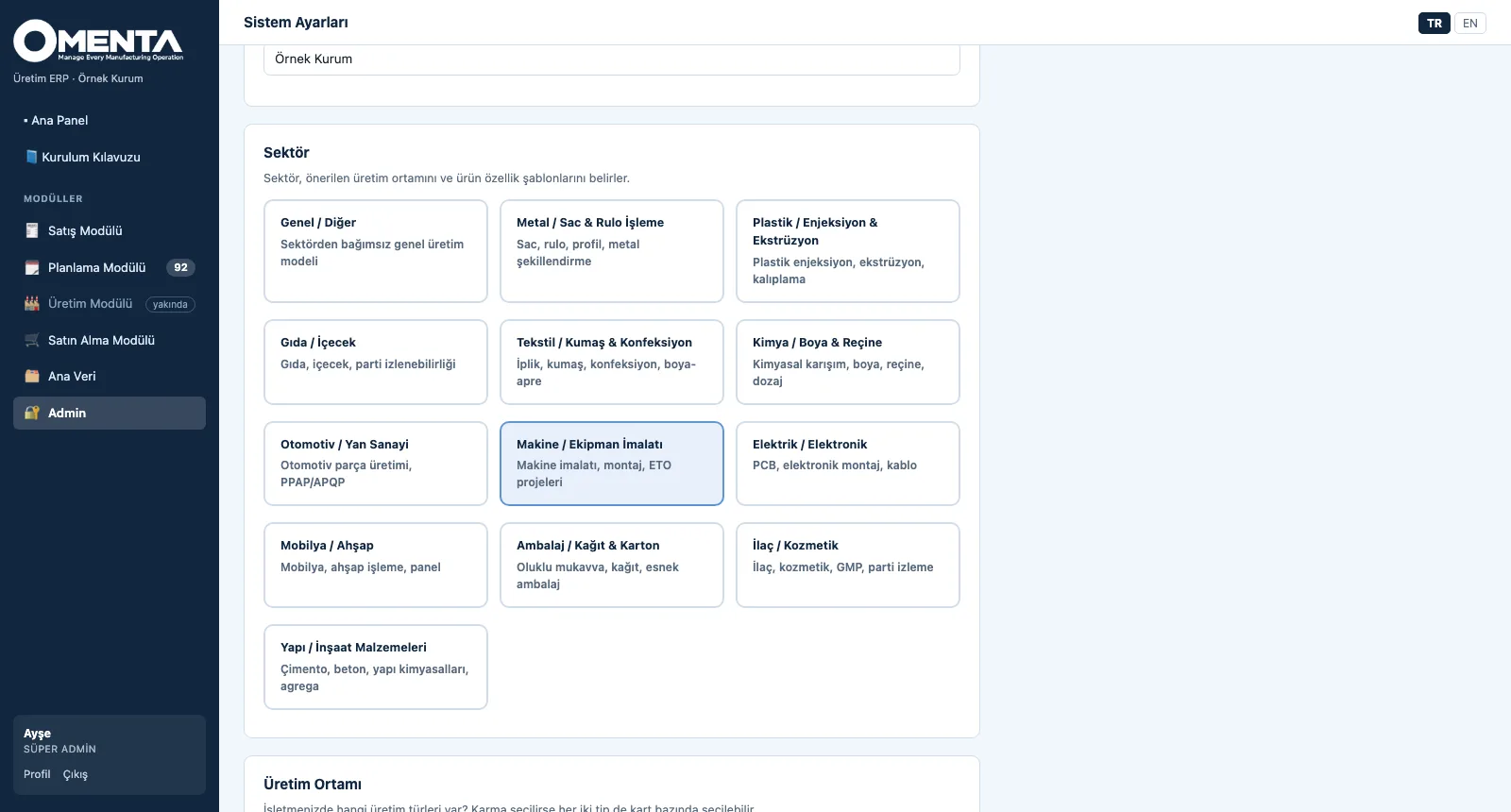
At set-up you choose the company, one of 13 sector profiles and the production environment (discrete, process or mixed); the sector suggests product attribute templates and defaults. The Master Data Set-up Guide walks you step by step, in the right order and with live status, from units of measure to item cards. Each item card carries its type, procurement and production strategy (MTS / MTO / ETO); every record is versioned and its change history kept.
- System set-up: company, 13 sector profiles (metal, plastics, food, textiles, chemicals, automotive, machinery, electronics, furniture, packaging, pharma, building materials, general), production environment and product definition model
- Master Data Set-up Guide: system, units, item groups, warehouses, users and item cards — six steps, each with its reason, how-to, tip and a progress percentage
- Item cards: raw material, semi-finished, finished, trade goods and consumables; procurement (buy / make / both), MTS / MTO / ETO strategy, unit, group, barcode, minimum and maximum stock, standard cost
- Governance: version, validity dates, card status, created / changed by, change history and duplicate-code check on every record; codes are non-speaking and sequential (ÜRN-0001, MLZ-0001)
- Units of measure (12 preloaded), item groups and warehouses (general, raw material, WIP, finished, quarantine, scrap); CSV export of item cards
- Roles and permissions: super admin, admin and user; master data edit permission per user; Turkish and English interface
Product Definition
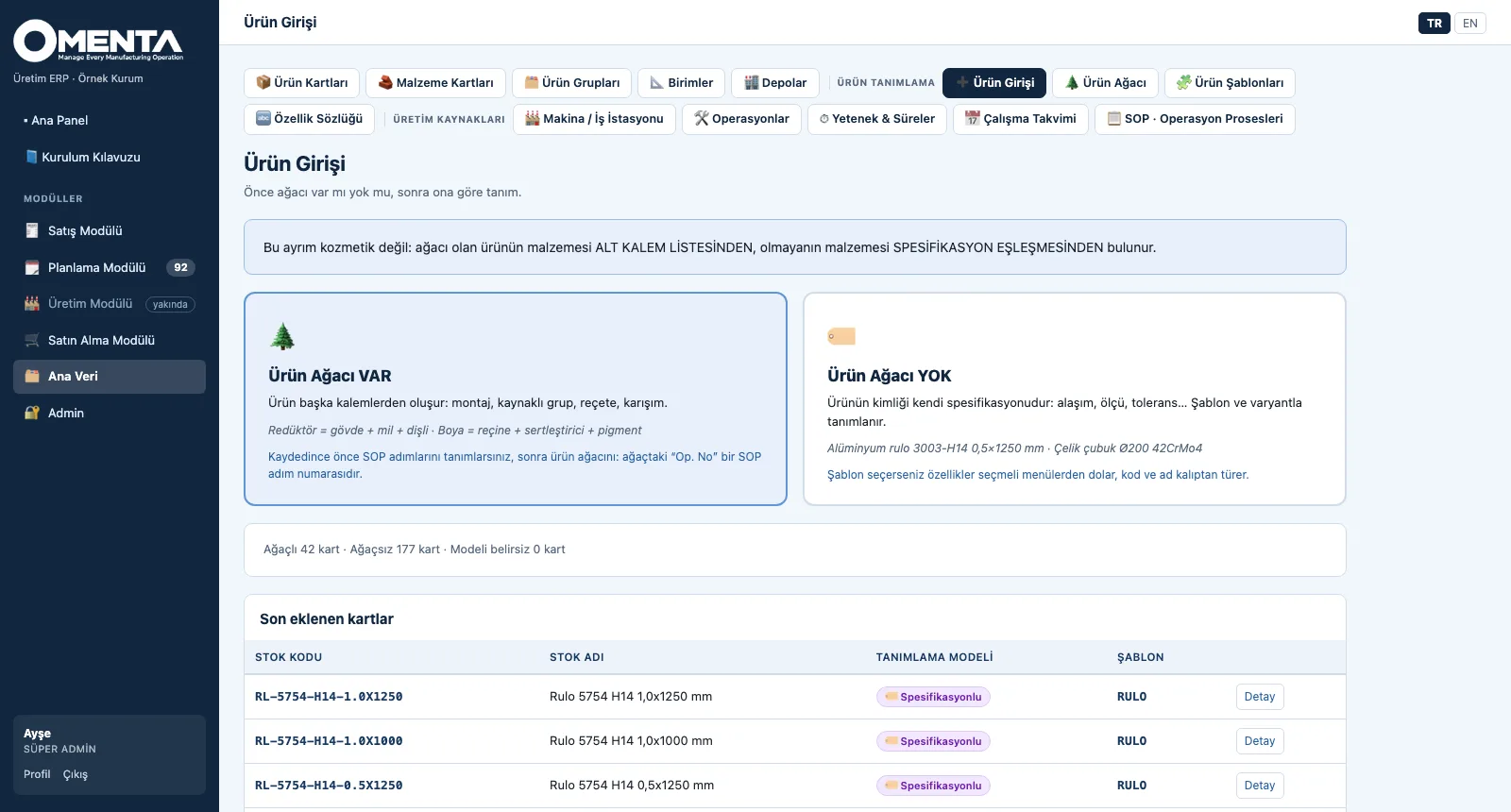
Product entry first asks one question: does the product have a tree? For products with a tree — assemblies, recipes or blends — the components go into the bill of materials; for products without one — coils, profiles or bars — identity is built from attributes: an attribute dictionary, templates, code and name patterns, bulk variant generation. A tree line can link an item by its code or by a specification condition (ALASIM=3003; KALINLIK>=0,5).
- Product entry gate: with a tree / without a tree; the model chosen at set-up leads in the menu, and both paths can be used together in the same plant
- Bill of materials: component or specification condition, quantity, scrap percentage, substitute group, operation no linked to the SOP step; multi-level explosion, gross requirement, standard cost from leaf items, where-used
- Attribute dictionary: text, number and list types; unit and tolerance; one-click sector set and a specification test (the cards that meet a condition)
- Product template: field order, mandatory flags, default values, code and name patterns (RL-{ALASIM}-{TEMPER}…), locking and a default template; defining a card from a template fills values from drop-down menus
- Variant generation: preview of axis value combinations and up to 500 cards in one run; existing cards are skipped, never overwritten
- Definition wizard: only fully defined products (tree and active SOP) can be ordered; if something is missing, the wizard takes you to the next step
Production Resources and SOPs
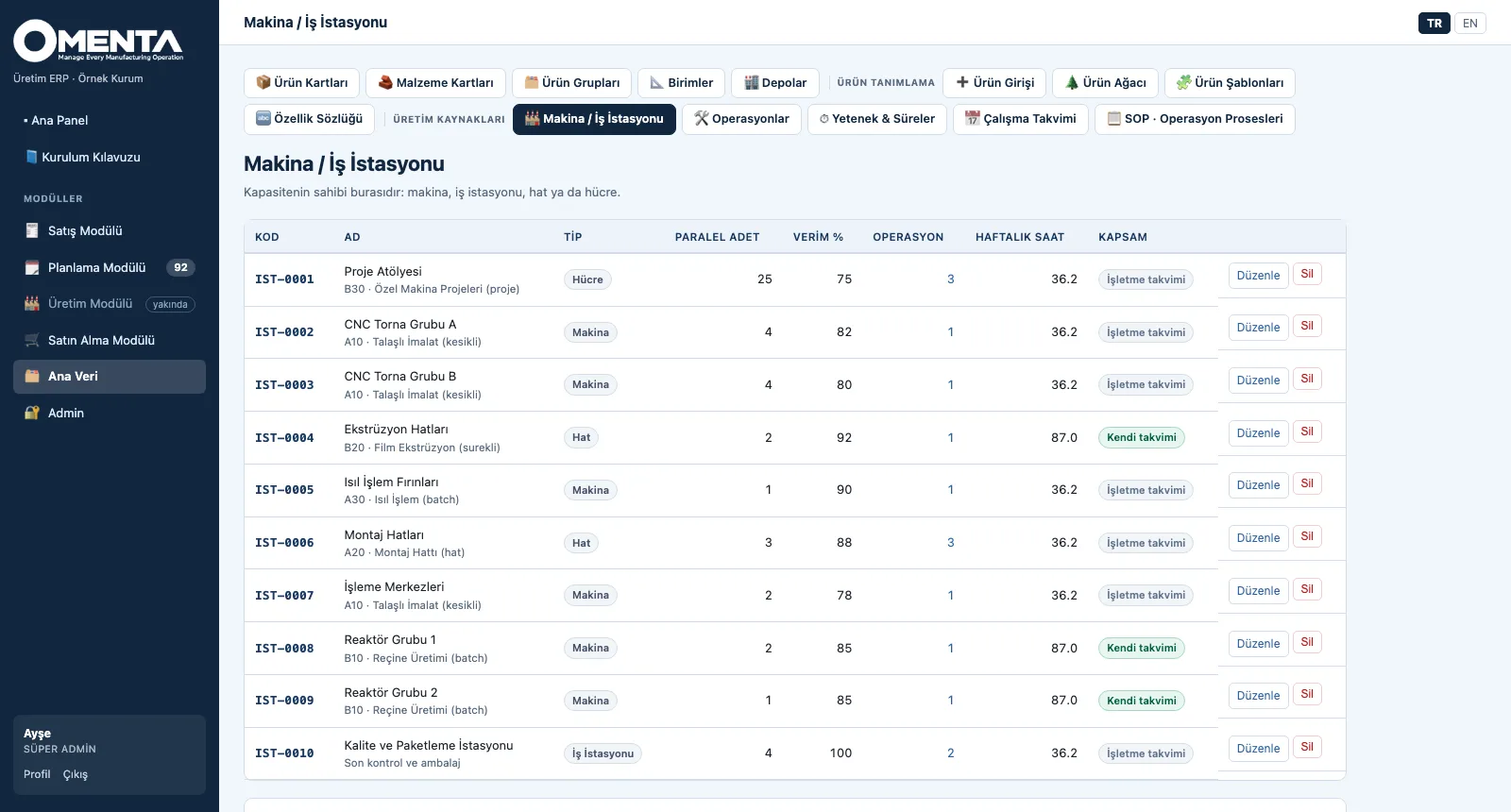
OMENTA deliberately separates three concepts: the operation says what is done to the product, the work centre where it can be done, and the capability on which machine it is done and how long it takes. The calendar derives day-by-day net capacity from the weekly pattern and exceptions. The SOP (standard operating procedure) holds each product's ordered work steps; whether a product is made discretely, by process or mixed is derived from the flow types of those steps.
- Work centres: machine, work station, line or cell; parallel units, efficiency percentage, hourly cost, bottleneck flag, weekly net hours and an own calendar
- Operation dictionary: each operation's default process flow type — discrete, batch, continuous, line or project — and the number of machines able to do it
- Capability matrix: operation × work centre unit processing time (min/unit), setup time, efficiency, preference and availability (available / backup / blocked); an item-specific time overrides the general one
- Working calendar: shifts (breaks deducted, night shifts supported), a plant-wide or work-centre-specific weekly pattern; holiday, maintenance and extra-shift exceptions; day-by-day net capacity
- SOP: steps 10, 20, 30…, predecessors for serial / parallel / merging flows, waiting time after a step (cooling, drying), critical step, quality note and material consumed at the step; an estimate of the total time
- SOP governance: versions (SOP-0001-V1 → V2), draft / active / archived, a default SOP and a warning for made items without an SOP
Sales Orders and Order Status
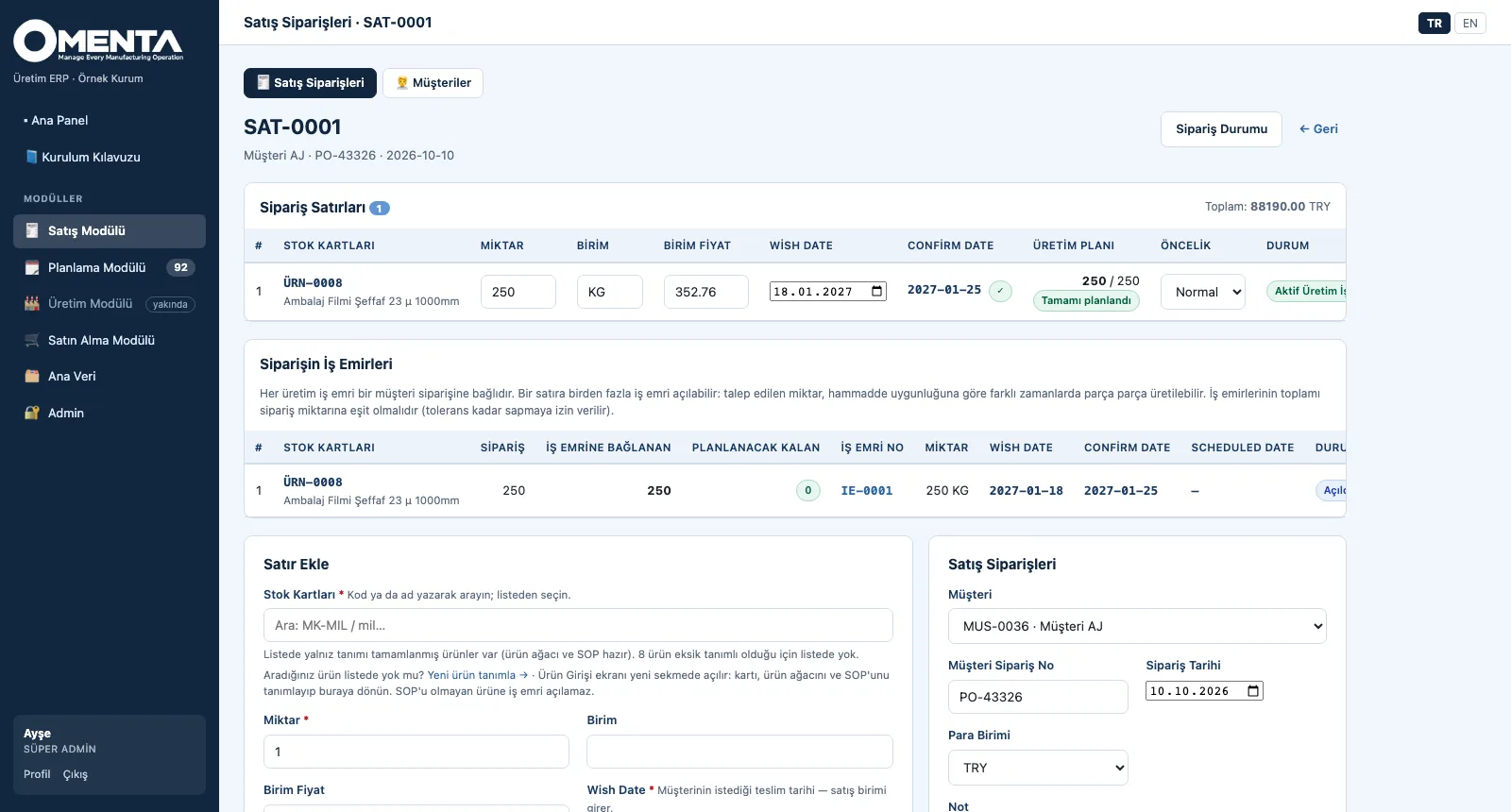
Every sales order line carries two dates: the wish date that sales received from the customer and the confirm date that planning (OPLAN) can give based on capacity. When sales approves the confirm date, the order becomes firm. A line's stage is derived from these fields — no separate status column is kept — and the Order Status screens show every line in the right list, from request to work order.
- Customers and sales orders: customer order no, order date, currency; per line product, quantity, unit price, wish date and priority
- Stock order (no customer, MTS): make-to-stock is also tied to an order; the confirm date starts from the wish date
- Order Status: Customer Requests → Awaiting Approval → Orders To Plan → Active Work Orders, with counters and an all-active-orders view
- Confirm date: comes from OPLAN or is entered manually / by CSV; if the date changes, the sales approval drops and is requested again; the gap between wish and confirm shows in days
- Approve / reject, CSV download of the request list and bulk work-order creation from selected lines to plan
- Line planning summary: ordered, linked-to-work-order and remaining quantity; work orders cannot exceed the ordered quantity beyond its tolerance
Work Orders and the OPLAN Link
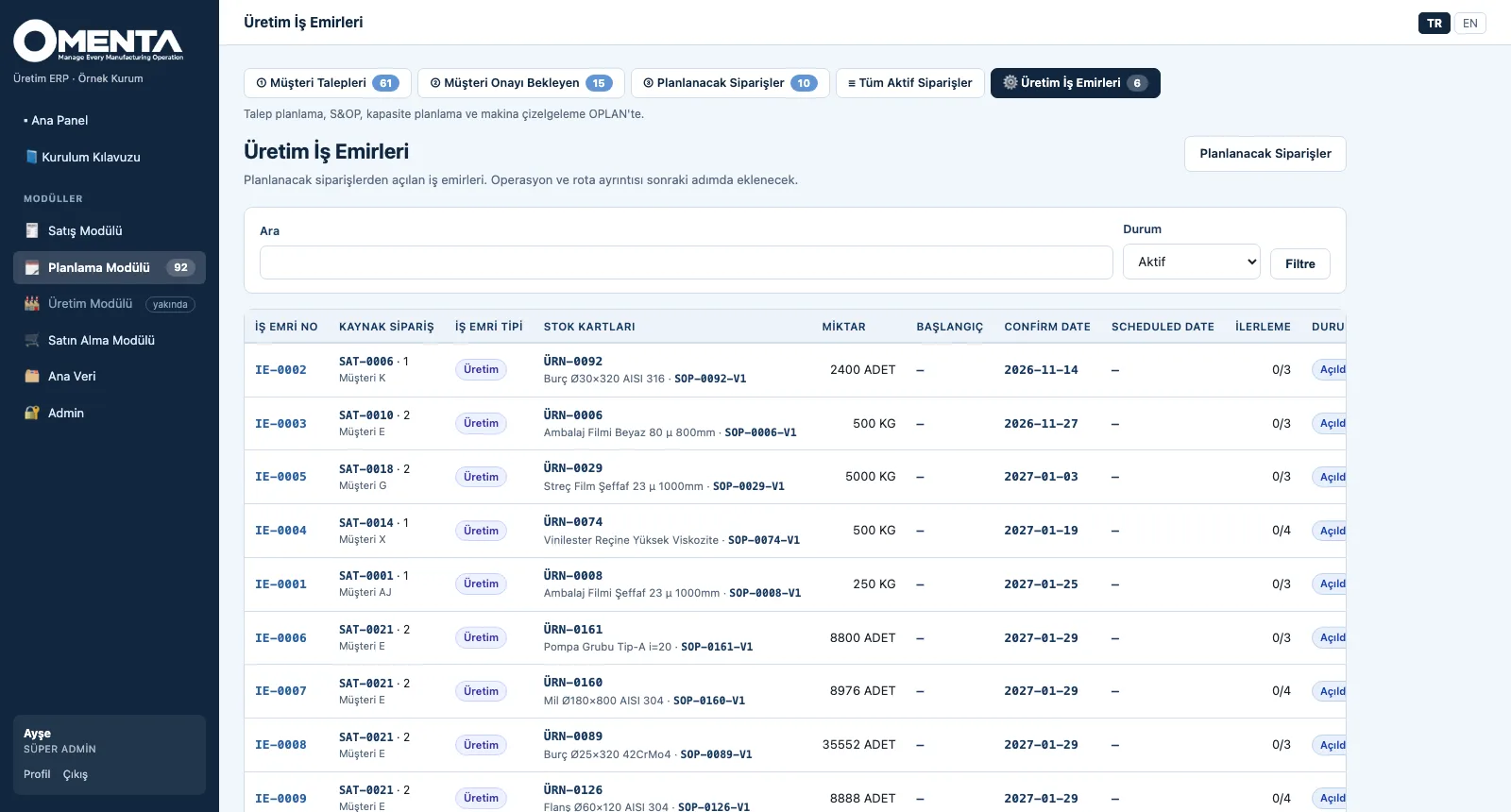
Every production work order is tied to an order line. When it is opened, the SOP and the bill of materials are copied; even if master data changes later, an opened work order does not. Made sub-parts spawn their own child work orders; operations are split into serial and parallel levels. OMENTA is the system of record, OPLAN the planning system: the data service publishes master data, the order book and work orders to OPLAN in one direction.
- Work-order tree from the order: the SOP and BOM are copied as a snapshot, made sub-parts open as multi-level child work orders
- Operations: serial / parallel level, setup, processing and waiting time, machine suggested from the capability matrix, status (planned, in progress, done, skipped)
- Materials: the operation where each is consumed, required and issued quantity, items made by a child work order; material issue
- Linked work orders: assembly, material preparation, tooling, transport, subcontracting and purchasing — tied to a specific operation of the production work order
- Partial production: several work orders can be opened for one line; the total cannot exceed the ordered quantity beyond its tolerance; a tree is cancelled as a whole
- OPLAN data service: 23 token-protected data sets (manifest, single set, all sets in one request); OPLAN writes back confirm-date proposals and scheduled finish dates
Purchasing and Goods Receipt
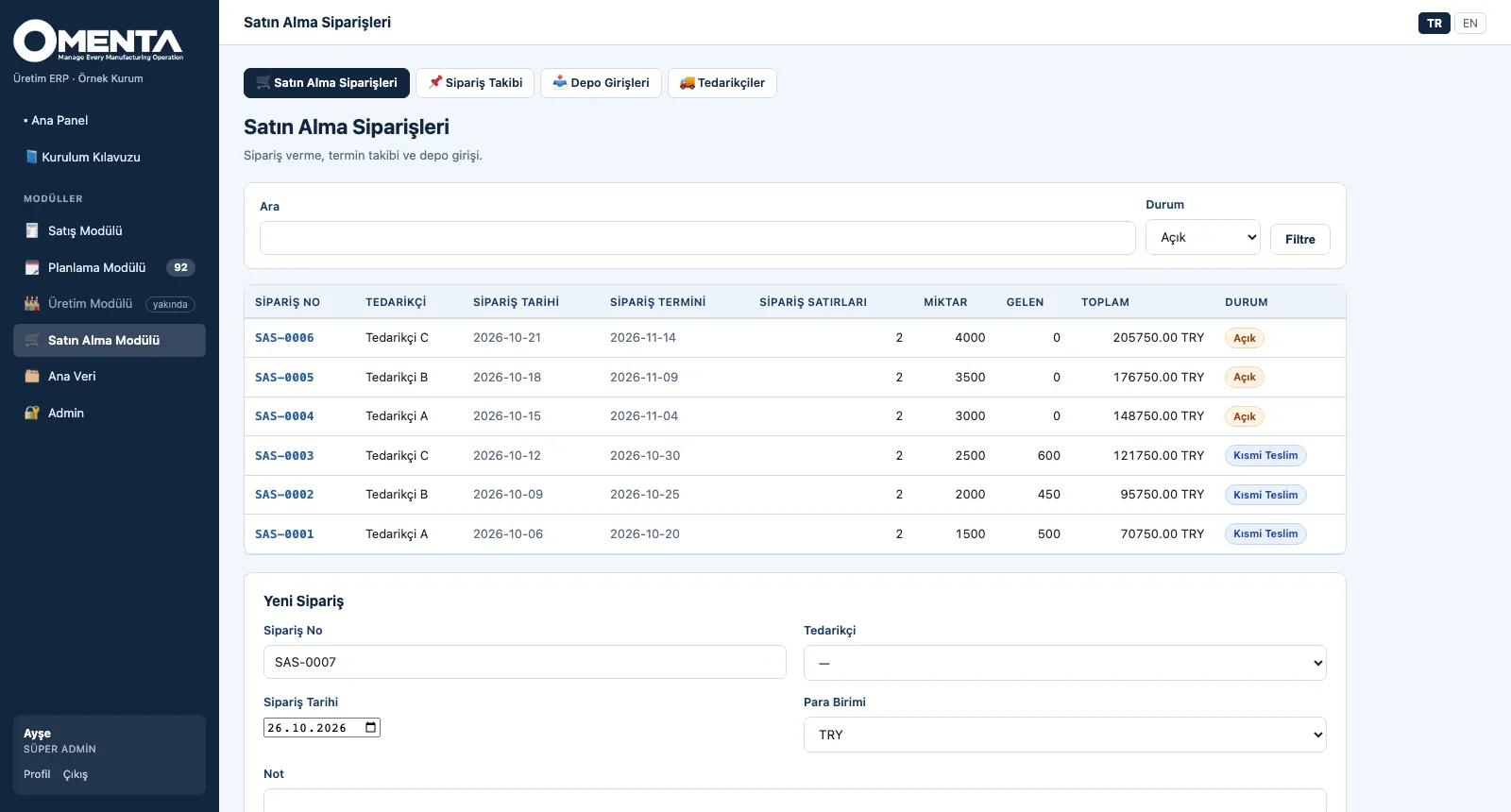
A purchase order is opened with supplier, order date and currency; each line has an item, quantity, unit price and the delivery date promised by the supplier. A goods receipt closes the line partly or fully and posts a stock movement; the order status is derived from its lines. The tracking screen gathers overdue lines on top and shows quantities in transit.
- Suppliers: name, contact, lead time (days) and currency; number of orders per supplier
- Purchase order: sequential number, lines with quantity, unit price and promised date; total amount; cancellation
- Status derived from lines: open, partly delivered, closed — closed when everything has arrived, partial when some has
- Goods receipt: line, quantity, receipt date, receiving warehouse and delivery note no; every receipt posts a stock movement
- Purchase tracking: open lines by promised date, overdue lines flagged and on top; received, remaining and in-transit quantity; CSV
- Goods receipts list and quantity in stock: per item × warehouse, from receipt movements
See your plant in OMENTA
Write to us for a live walkthrough on sample company data.