
Purchasing and Goods Receipt
From order to goods receipt: overdue lines on top, quantities in transit visible, every receipt posts a stock movement.
A purchase order is opened with supplier, order date and currency; each line has an item, quantity, unit price and the delivery date promised by the supplier. A goods receipt closes the line partly or fully and posts a stock movement; the order status is derived from its lines. The tracking screen gathers overdue lines on top and shows quantities in transit.
What you gain with OMENTA
- Open lines and quantities in transit are also published to the OPLAN data service, so planning sees incoming material.
- The tracking list exports as CSV, so supplier follow-ups run from a single file.
How it works
From order to warehouse in four steps.
-
1
See the orders
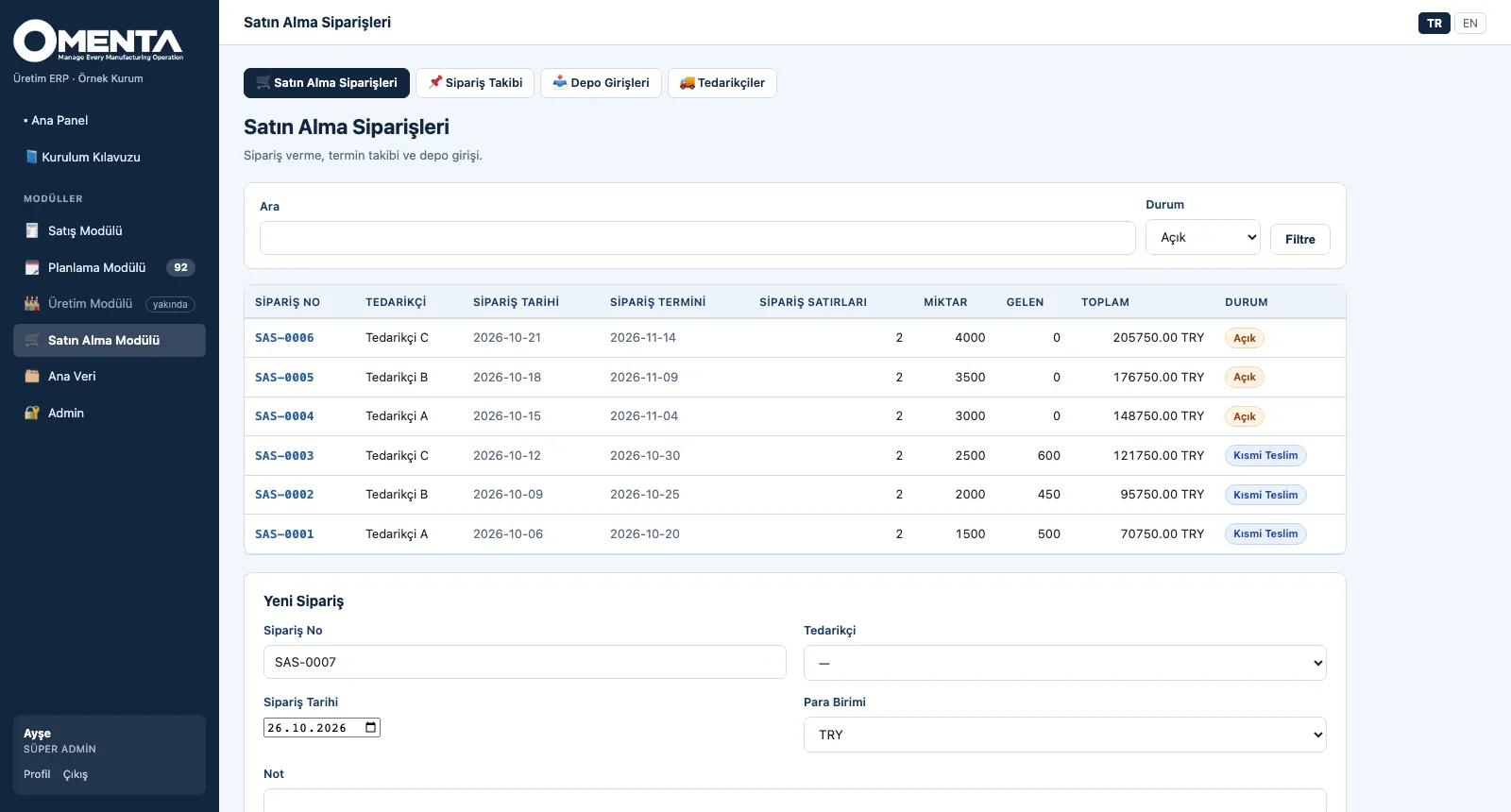
With supplier, order date, nearest promised date, number of lines, quantity, received and total amount; filtered by status.
-
2
Manage lines and receipts
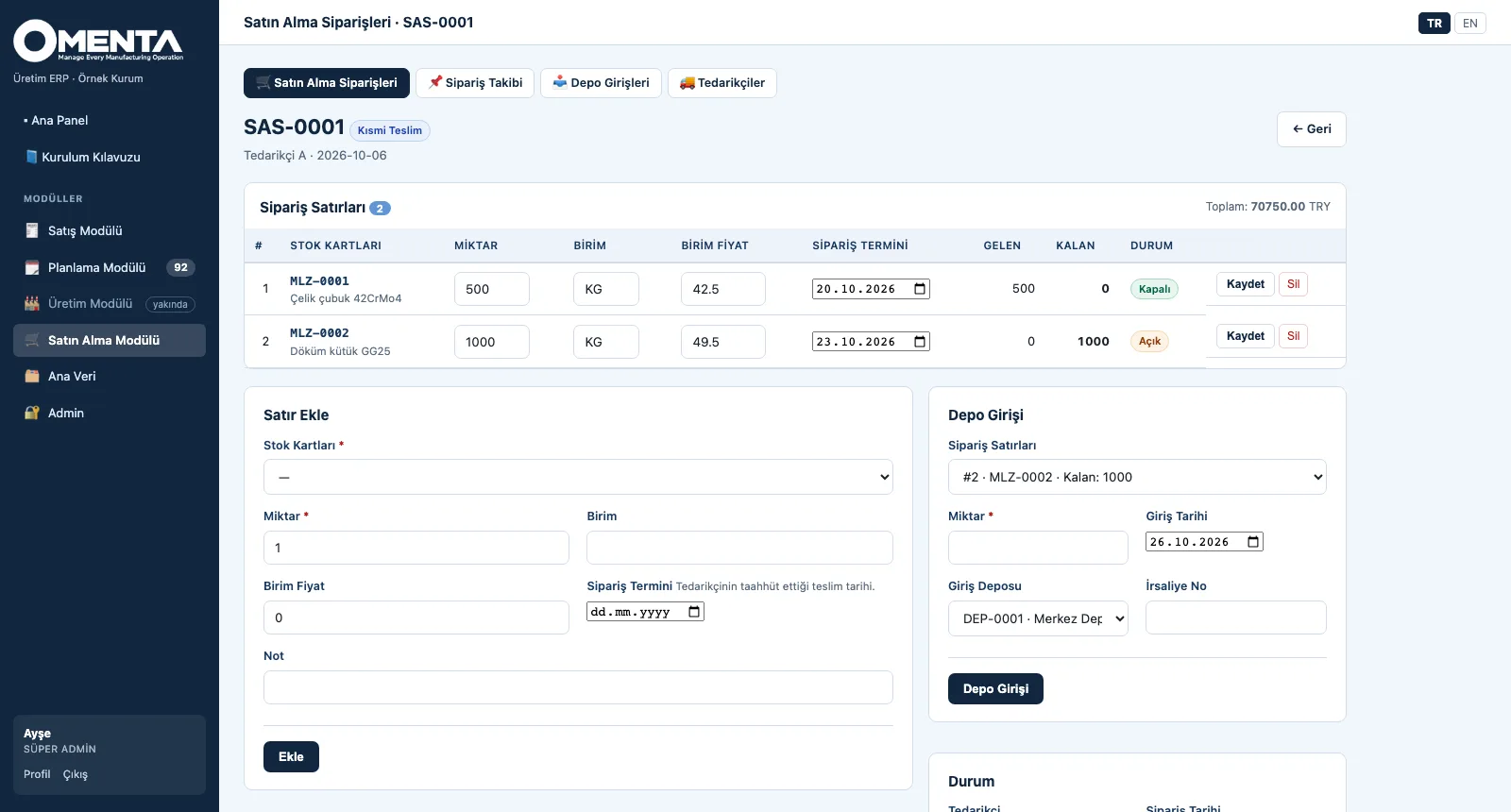
Adding and updating lines and posting goods receipts on the same page; remaining quantity and line status update with each receipt.
-
3
Watch the dates
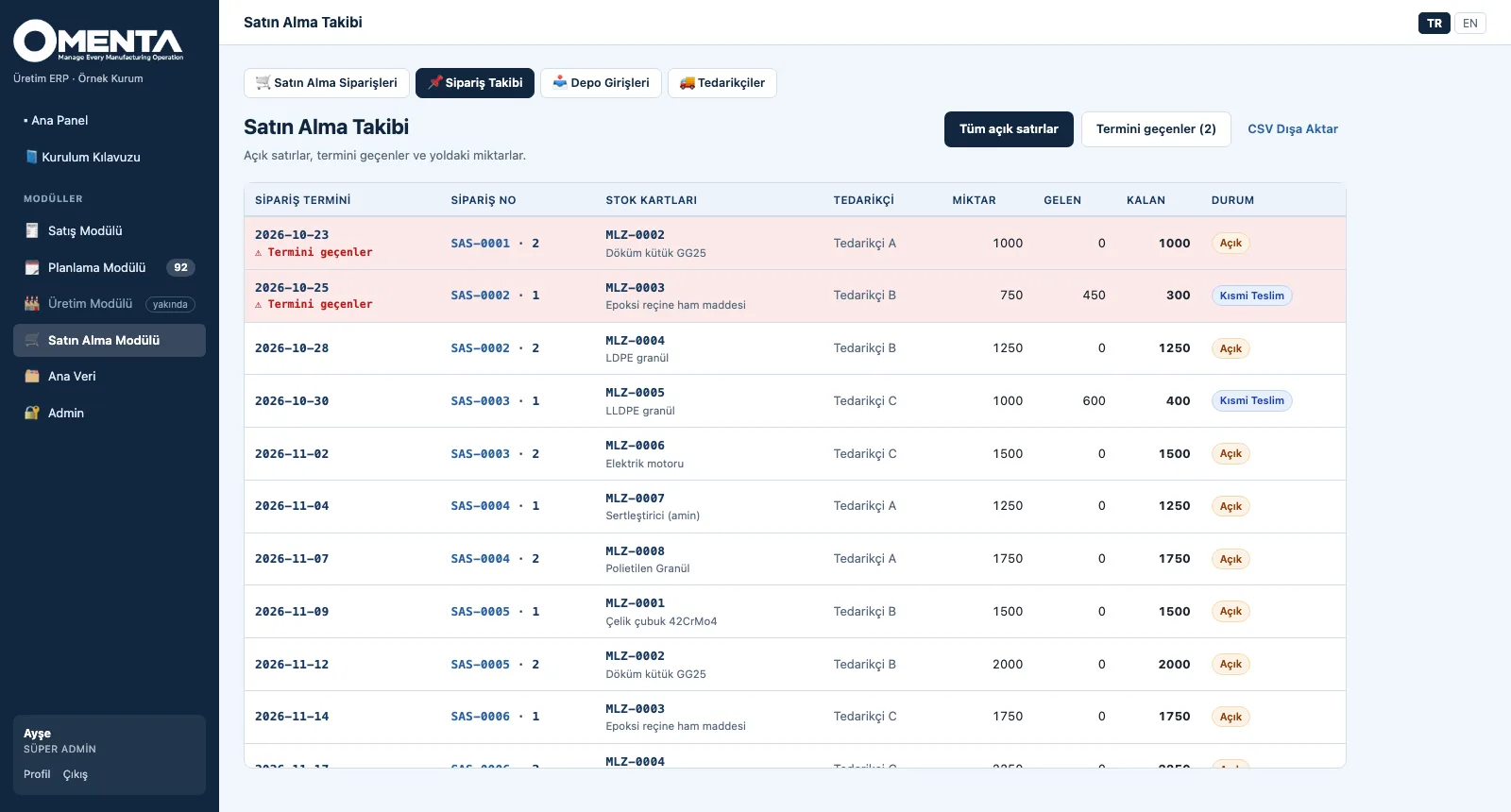
Open lines sorted by promised date; overdue lines in red on top, partial deliveries and remaining quantity visible.
-
4
See the warehouse
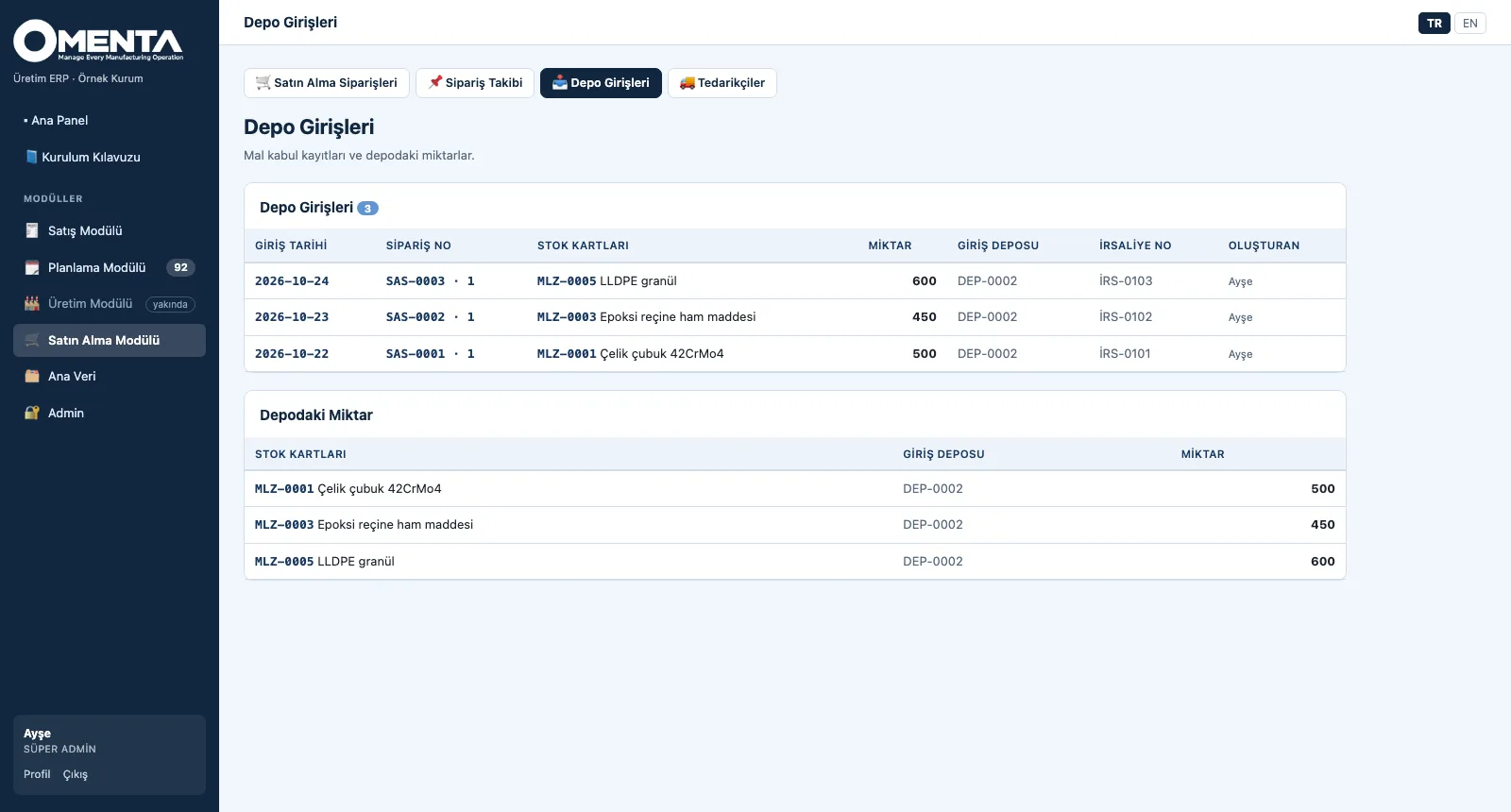
Each receipt with date, order, item, warehouse, delivery note no and the person who posted it; below, the quantity per item × warehouse.
Screens are shown with sample company data; the application interface is in Turkish and English.
Purpose
To know when material will arrive, and to tie every incoming delivery to the right record in the warehouse.
Features
- Suppliers: name, contact, lead time (days) and currency; number of orders per supplier
- Purchase order: sequential number, lines with quantity, unit price and promised date; total amount; cancellation
- Status derived from lines: open, partly delivered, closed — closed when everything has arrived, partial when some has
- Goods receipt: line, quantity, receipt date, receiving warehouse and delivery note no; every receipt posts a stock movement
- Purchase tracking: open lines by promised date, overdue lines flagged and on top; received, remaining and in-transit quantity; CSV
- Goods receipts list and quantity in stock: per item × warehouse, from receipt movements
Benefits
- Late purchases are visible before shipments slip
- Every goods receipt leaves a trace in the warehouse and in stock movements
- Order status is derived from its lines, never updated by hand
Who uses it
Buyers, warehouse and goods-receipt teams, material planning, supply chain managers.